Solving AI Resistance: Leadership Tactics
- BlogSmarter AI
- Edited by Steph Locke
- Blog
- July 24, 2026
- Updated:
Table of Contents Show Hide
You do it by fixing work people already hate, not by flogging another software pitch.
Your team does not push back because they fear AI. They push back because they fear more admin, more blame, and more mess when the system gets it wrong.
I would start where the pain sits. That means mill certs, scrap maths, and production planning. GoSmarter, built by Nightingale HQ, uses AI Optical Character Recognition (OCR) on mill certs, scrap optimisation, and production planning. Metals manufacturers can strip out typing, keep human sign-off, and stop the spreadsheet circus.
What you get is plain:
- Less certificate admin
- Lower scrap from cutting plans that beat spreadsheet guesses
- Faster traceability for EN 10204 checks
- Human control at review and sign-off
- Visible wins from the first batch, not six months later
If your engineers stop typing cert data and start dealing with the calls that need judgement, trust tends to follow.
Here’s how to fix it.
Avoiding Employee Resistance to AI and Automation
Why your team pushes back on AI even when the pain is obvious
Your team does not hate automation. They hate black-box software and risky handovers.
If a tool cannot show how it got an answer, planners will not trust it. Fair enough. They are the ones who catch the mess when software gets it wrong. So you need to show three things early:
- where AI helps
- where people stay in control
- where the first win will show up
Leadership cuts resistance by removing doubt, not by asking for blind trust.
If AI reads a certificate wrong or breaks traceability, the software does not carry the can. Your team does. That is why you keep people in charge. A clear review and sign-off gate sits before data goes into the record [3].
The real fear is losing judgement, status and control
Most of the pushback comes from the same few worries. They are not hard to spot.
| Fear | Operational Risk |
|---|---|
| Loss of status | The team worries the system will replace their judgement on grade and heat tracking |
| Opaque system decisions | No clear way to check why the AI produced a cutting list |
| Blame for failure | Someone still has to sign off on the output after a quality failure |
Name those fears plainly and you can deal with them plainly. Do not sell a grand vision. Pick one tight use case people can see working.
Vague use cases block support before it starts
Big talk about “AI-driven transformation” lands badly. The job in front of someone is a pile of PDF mill certs that still need typing in, and that kind of pitch sounds like management theatre.
Support starts when you tie AI to a task the team already hates. The boring stuff. The error-prone stuff. The stuff that burns hours for no good reason.
And the bar is not low. If a tool misreads “Rp0.2”, mangles “CEQ”, or falls over on multi-heat certificates, it does not save time. It creates rework [3].
The next move is simple. Make AI useful in a job people already want off their desk.
How leaders make AI feel useful rather than threatening
You cut resistance when people can see one plain thing: AI takes the admin, not the judgement. That means you sort the workflow first. Then you ask people to back it. If you skip that step, you’ll get eye-rolls, workarounds, and another bit of software nobody trusts. The fix is visible leadership.
Let AI do the typing so engineers can do the thinking
If engineers spend their mornings re-keying heat numbers, yield strengths and chemistry from PDFs, they are doing data entry. They are not doing engineering. So change the job properly. Let GoSmarter, built by Nightingale HQ, handle the mill certificate automation. Your engineers then deal with exceptions. They review flagged anomalies, make quality calls, and sign off production decisions.
That shift matters. It takes people off dull transcription work and puts them back on the judgement calls that need experience.
Once you strip out the admin, make the human decision points obvious.
Be clear about where humans still make the call
Ambiguity breeds resistance. If your team does not know whether the AI’s cutting plan is a suggestion or an instruction, trust will not follow. Set the split clearly:
| Task | AI | Human |
|---|---|---|
| Data extraction | Read heat numbers, grades and chemistry from certificates | Review and approve extracted data before it enters the system |
| Traceability | Build an automatic audit trail of every action | Final sign-off for EN 10204 compliance |
| Production planning | Suggest cutting plans | Override authority on scheduling and quality decisions |
Log every correction: original value, change, user and timestamp.
That log matters more than most software sales decks admit. When someone asks, “Why did this change?” you need an answer in seconds, not a scavenger hunt through emails and spreadsheets.
Then make shift leaders the first visible users.
Train supervisors first - the shop floor follows their lead
Shift leaders set adoption speed. If a shift leader pulls up AI-flagged certificate anomalies during a morning review, the team starts to treat it as normal. The same happens when they reference an AI-suggested cutting plan in a production meeting. If supervisors ignore the tool, or treat it with open scepticism, that mood spreads fast.
Train supervisors in the moments that matter:
- handovers
- production reviews
- defect investigations
Then put the tool on the admin work people already hate. That is where buy-in starts. Not in a slide deck. On the stuff that wastes time every shift.
Start with the tasks people already hate doing
Once people know AI keeps humans in control, start with the jobs they already resent. Go after the work that drains time and patience: certificate admin, scrap maths and production planning.
Mill certs, scrap maths and production plans are the right place to start
Manual mill certificate processing eats time in metals admin [2]. It is slow. It is repetitive. It goes wrong too often. And it lands on someone’s desk every single day.
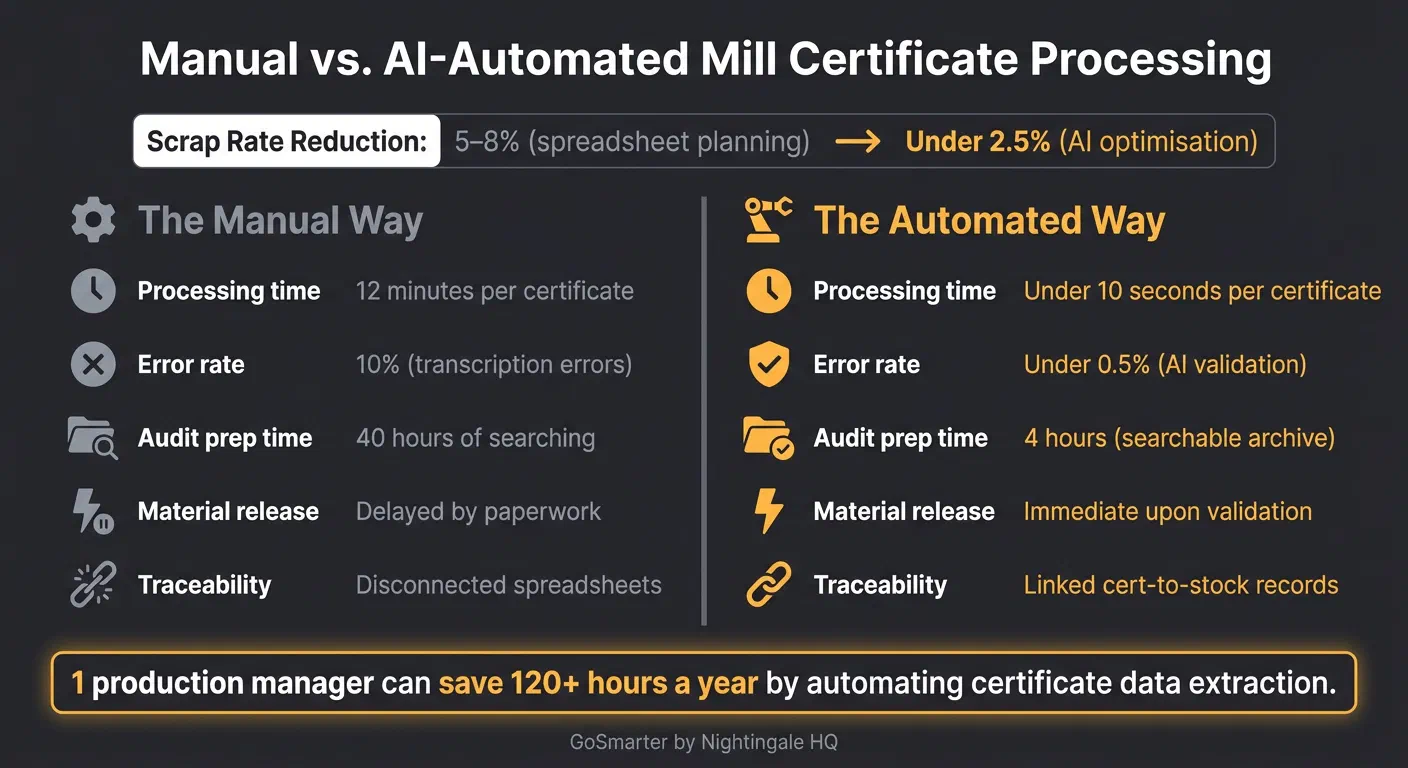
Scrap calculations are a smart place to start because you can cut waste without taking judgement away from planners. Spreadsheet planning often leads to scrap rates of 5-8%. AI optimisation can cut that to 2.5% or less [2].
Production scheduling is another mess. Old spreadsheets drift out of date. People save different versions. Then everyone argues over which file tells the truth. A live connected system does not sideline the planner. It gives them better numbers to work with.
Where GoSmarter makes the win visible on day one
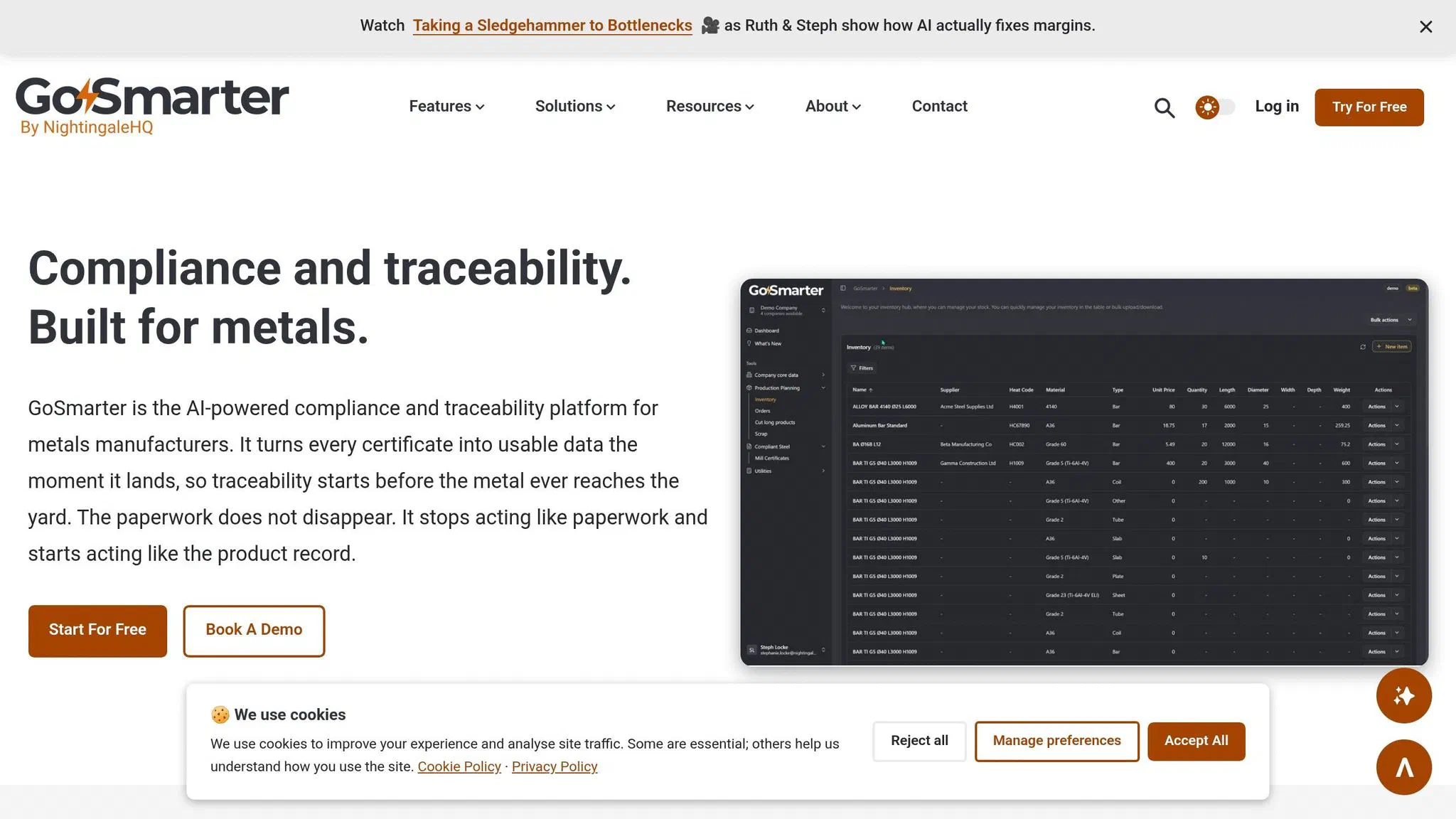
GoSmarter, built by Nightingale HQ, is made for this sort of work. It goes straight at the tasks that cause the most daily friction in metals manufacturing.
The MillCert Reader reads incoming PDF certificates at goods-in. It understands steel terms such as Rp0.2 for yield strength and CEQ for carbon equivalence. It also reads heat treatment marks like +N or +QT. You get traceability from the moment a cert lands [1][3]. It also creates an audit trail for EN 10204 compliance on its own [3]. Automating certificate handling alone saves over 120 hours of admin time a year [1][2]. At a typical loaded labour cost, that time saved gives a payback period of under 10 months on the MillCert Reader subscription [2].
Cutting Plans uses mathematical optimisation on cutting lists. That cuts the waste spreadsheet planning usually hands over without a fight [2]. Midland Steel saw up to 50% scrap reduction during a trial covering 734 tonnes of material. It builds first-draft cutting plans that supervisors can check and override. Human control stays where it should. Legacy Integration means GoSmarter sits on top of your current Enterprise Resource Planning (ERP) system. You do not need a rip-and-replace project before you see a result. It connects through a REST API with OAuth 2.0 or Microsoft Entra single sign-on, and hosts data on UK Azure. GoSmarter uses de-identified certificates to improve its own extraction models. It never shares them with other customers or third-party AI providers.
The difference shows up fast:
| The Manual Way | The Automated Way |
|---|---|
| 5-8% scrap rates using spreadsheet planning [2] | Under 2.5% scrap rates using AI optimisation [2] |
| Cert packs assembled by hand at despatch [1] | Branded cert packs generated automatically for every order [1] |
This is the key point. It removes work people already hate doing. When certificate entry disappears, nobody needs a long sales pitch. When engineers stop typing cert data on day one, they notice. That is when trust starts to build.
That kind of visible day-one change is what you measure next.
How to tell it’s working without waiting six months
Track trust and usage, not just pounds saved
Once you can see the first win, you need a faster way to prove it sticks.
Don’t wait half a year for a finance report. Watch what people do on the shop floor and in review meetings. That tells you sooner if the change is working or if people still sneak back to the old spreadsheet circus.
Track three signals:
- Exception reviews
- Shrinking workarounds
- Supervisor use in shift reviews
Test those signals on one live batch before you roll the process out any further.
Your next move: run GoSmarter MillCert Reader on your next batch of certificates
Start with mill certificate processing. Run GoSmarter’s MillCert Reader, built by Nightingale HQ, on your next batch of PDF certificates. Then compare time, error rate and audit prep.
| Metric | The Manual Way | The Automated Way |
|---|---|---|
| Processing time [1] | 12 minutes per certificate | Under 10 seconds per certificate |
| Error rate [1] | 10% (transcription errors) | Under 0.5% (AI validation) |
| Audit prep [1] | 40 hours of searching | 4 hours (searchable archive) |
| Material release [1] | Delayed by paperwork | Immediate upon validation |
| Traceability [1] | Disconnected spreadsheets | Linked cert-to-stock records |
Start with one batch. Measure the time saved. Show the team the cleaner audit trail.
When the first batch proves the case, resistance drops fast.
Conclusion: cut resistance by solving real work first
In metals manufacturing, AI resistance usually comes down to risk, not software. People aren’t scared of a tool. They’re scared of losing judgement, status, and control over work that matters. Fair enough. If you’re running production, you don’t hand that over to a black box and hope for the best.
So your job is pretty plain:
- treat AI resistance as a risk response
- start with the jobs people hate
- protect human judgement
That is the fix. No grand rollout. No glossy slide deck. Just sort out real work first. Clarity, shared understanding and practical action beat a big-bang rollout every time.
Mill certificate processing, scrap calculations, and production planning are the right places to begin because the gains show up fast. People can see them. They can measure them. One production manager can save 120+ hours a year by automating certificate data extraction [1]. That’s not theory. That’s time back for work that needs a brain.
Pick one bottleneck. Prove the first win. Then scale.
FAQs
How do I start with AI without disrupting production?
Avoid big overhauls or “rip-and-replace” projects. That’s how you burn time, cash, and patience. Take a phased, modular route instead. Keep your current systems running while you sort out one problem at a time.
Start with a high-friction bottleneck like goods-in mill certificate processing. Use GoSmarter, built by Nightingale HQ, to digitise the manual work and pull out structured data. You don’t need to change your core Enterprise Resource Planning (ERP) system. You don’t need to stop production either.
Run a short pilot first. Keep the current workflow in place for a bit, so you have backup while the new process proves itself. Then expand only when the results are clear.
How can I keep engineers in control of AI decisions?
Keep engineers in control. Use AI as a support tool, not a black box. GoSmarter, built by Nightingale HQ, handles the ugly maths and data-heavy admin. Your team still makes the call.
Take cutting plans. GoSmarter builds an editable first draft, not a locked answer. Your engineers can change it based on what they know on the shop floor, and the system recalculates on the spot.
What should I measure first to prove AI is working?
Start with a 30-day baseline before you roll anything out. If you skip this, you end up arguing with gut feel and half-remembered pain.
For goods receivable, track:
- Admin minutes per mill certificate
- Certificate-related rework incidents
For the broader operation, track:
- Scrap percentage
- Planner hours per week
- Turnaround time for urgent orders
GoSmarter, built by Nightingale HQ, helps you track these numbers without adding more spreadsheet grief. That matters, because if you want to prove value before you scale, you need hard numbers, not wishful thinking.
Drill deeper
- AI Training ROI: What to Measure
Go here for a 30, 60 and 90 day framework to prove the training paid back.
14 min read
- Stop Running Your Factory Like It’s 1985.
Go here for a blunt, short case for change you can share with sceptics.
10 min read
- What Is Digital Transformation in Manufacturing?
Go here to agree the terms before you brief your team.
12 min read
About the Author

Editor· Co-founder & Head of Product
Steph Locke is Co-founder and Head of Product at GoSmarter AI — former Microsoft Data & AI MVP building practical tools to cut paperwork and automate compliance for metals manufacturers.