Keep the Dinosaur, Lose the Headache: How to Modernise Without Ripping Out Your ERP.
- BlogSmarter AI
- Edited by Ruth Kearney
- Blog
- February 25, 2026
- Updated:
Table of contents Show Hide
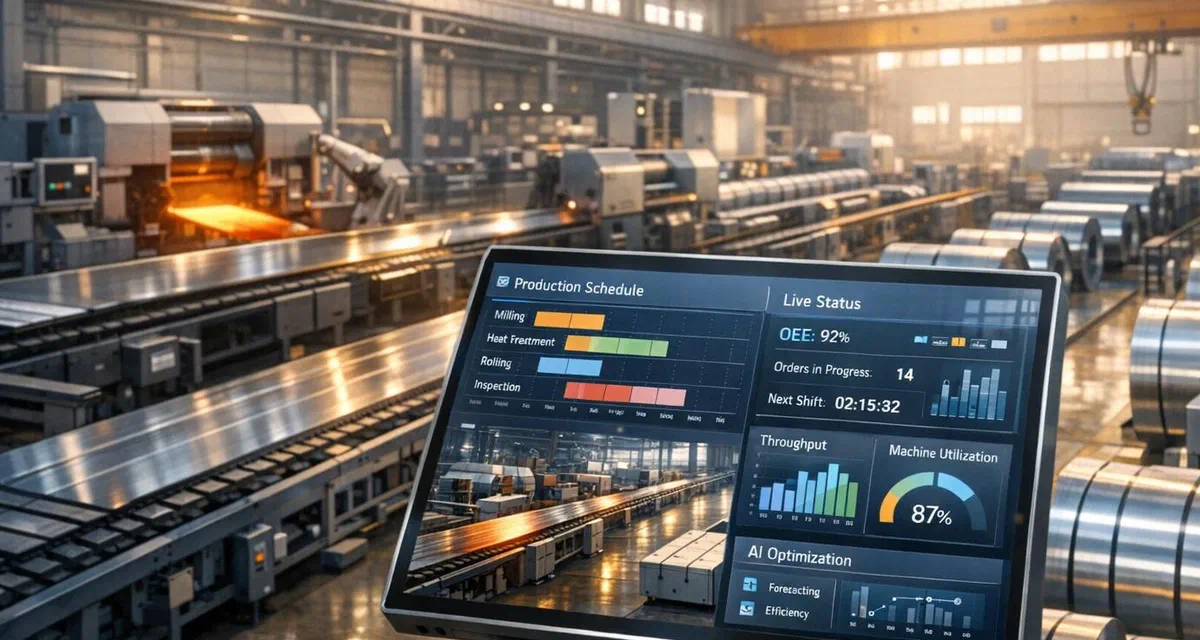
Legacy ERP modernisation does not mean ripping out your existing system — it means layering modern tools on top of what already works. Your ERP is still processing orders, managing inventory, and keeping the lights on. The real problem is the inefficiencies around it: manual data entry, outdated workflows, and disconnected tools that drain your time and money. You don’t need to replace the dinosaur. You need to stop feeding it by hand.
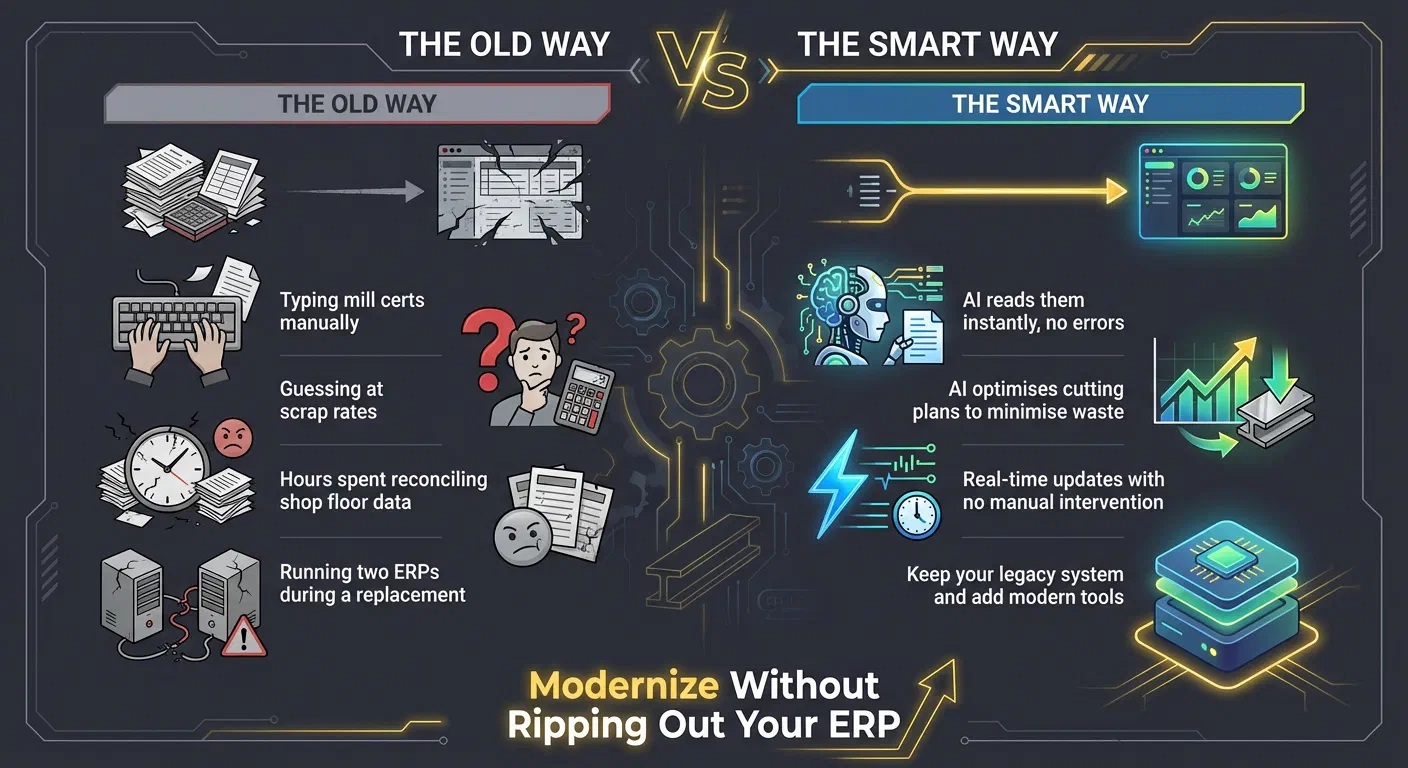
The Old Way vs. The Smart Way
| The Old Way | The Smart Way |
|---|---|
| Typing mill certs manually | AI reads them instantly, no errors |
| Guessing at scrap rates | AI optimises cutting plans to minimise waste |
| Hours spent reconciling shop floor data | Real-time updates with no manual intervention |
| Running two ERPs during a replacement | Keep your legacy system and add modern tools |
Let’s face it: You didn’t get into manufacturing to spend your day wrestling with spreadsheets or re-entering data. Stick with your ERP, add the right tools, and start solving the bottlenecks holding you back. Here’s how.
ServiceNow Federal Forum 2025: ERP Modernisation Strategies
Find the Weak Spots in Your Current Setup
Pinpointing where your ERP system stumbles can reveal costly inefficiencies that drain both time and money. For metals manufacturers, common bottlenecks often lurk in plain sight, and addressing them can be simpler than you’d expect. The first step? Take a hard look at how data flows through your operation to uncover the weak links.
How to Review Your ERP Performance
To improve your ERP’s output, you first need to understand how it really works - not just on paper, but in practice. Map out the actual journey of data, following an order from its initial quote all the way to dispatch. Pay close attention to every instance of duplicate data entry, reliance on spreadsheets, or unnecessary trips to the shop floor. These manual steps might seem harmless but often mask hidden costs.
Over a month, track how much time your team spends on manual tasks like entering data, resolving discrepancies between shop floor records and ERP data, or making decisions based on outdated information. Multiply these hours by your labour costs to uncover the operational “tax” you’re paying for inefficiency.
Next, test the accuracy of your ERP data. Compare stock levels, production records, and quality logs in the system against what’s actually on the shop floor. If your team uses unofficial spreadsheets to track things like mill certificates, scrap, or dimensional inventory (such as coil widths or remnant lengths), it’s a sign they don’t fully trust the ERP. Shockingly, around 90% of companies still rely on spreadsheets for critical business data - even with an ERP in place[3].
Typical Problems in Metals Manufacturing ERPs
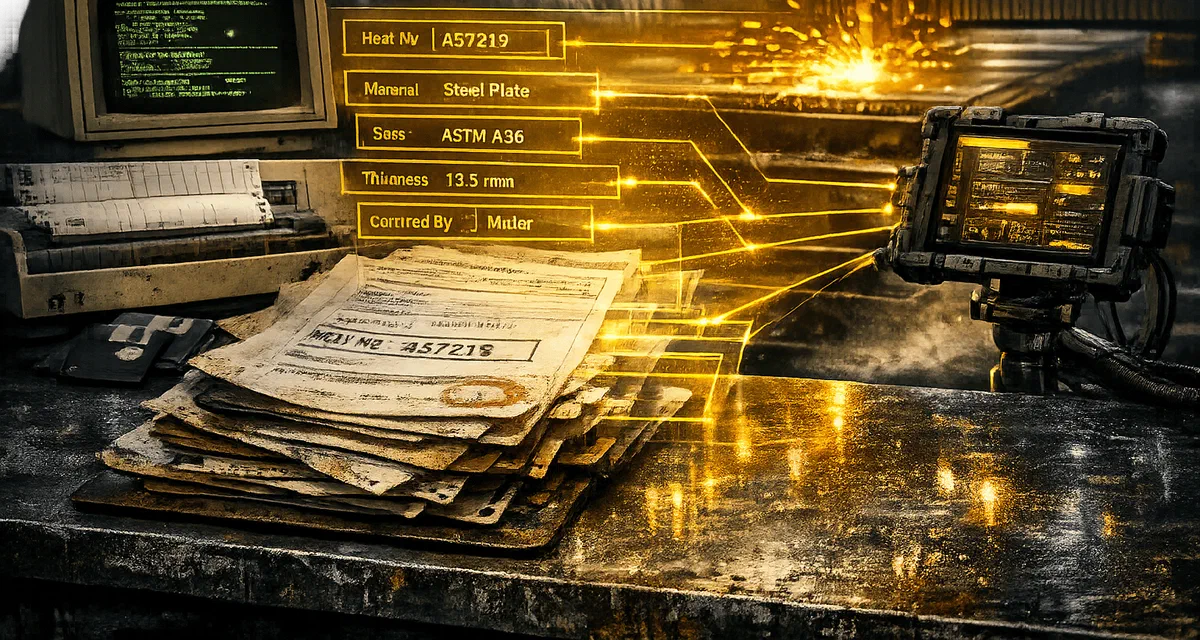
Legacy ERP systems often falter when it comes to manual data entry, especially with mill test reports. Operators frequently type in heat numbers, chemical compositions, and tensile strengths from paper certificates, leading to a daily error rate of around 1%[8][9]. Even a single typo can disrupt traceability, which becomes a nightmare during audits.
Another common issue is the inability to track dimensional inventory effectively. While most ERPs handle weight tracking well, they often struggle with details like slit widths, remnant lengths, or the “mother-child” relationships between coils and plates. This gap can lead to poor yield optimisation and “ghost inventory” sitting idle in the warehouse, invisible to the system[9].
Reporting delays are another major hurdle. When shop floor data takes 2–4 hours to sync with the ERP, managers are left making decisions based on outdated information. This lag costs manufacturers an average of £1.7 million annually in rework, excess inventory, and missed delivery deadlines[8]. On top of that, paper-based processes and delayed updates slow production by an average of 15%[8].
Which Improvements Will Pay Off First
Not every problem demands a complex fix. Start with changes that offer the most impact for the least effort. For example, replacing manual mill certificate entry with tools like OCR or barcode scanning is simple to implement but can dramatically reduce errors and save time.
Digitising quality control is another quick win. Transitioning from paper-based checks to a digital system can significantly cut defects and improve efficiency, often paying for itself in just a few months.
Improving real-time visibility on the shop floor is also a game-changer. If your ERP updates hours after production events, you’re essentially working blind. Adding barcode scanners or tablets to capture data instantly can eliminate transcription errors, save over 1,200 hours each month, and give you live insights into production flows[8]. Focus on areas where outdated data causes the most disruption - inventory management, work-order tracking, and scrap monitoring are common culprits.
Once you’ve tackled these initial improvements, you’ll be ready to explore AI and automation to close the remaining gaps.
How AI and Automation Improve Your ERP
Your legacy ERP holds a treasure trove of data - orders, inventory movements, production records, and quality logs. Yet, much of this data often goes untapped. AI tools can unlock its potential by analysing patterns, predicting issues, and automating repetitive tasks. Let’s look at how AI turns raw data into meaningful insights.
Using AI to Analyse Your ERP Data
AI elevates your ERP from a static database to a dynamic decision-making tool. By linking IT data from your ERP (like material batches and work orders) with OT data from shop floor sensors (such as machine vibration or temperature), AI uncovers inefficiencies that might otherwise go unnoticed[6]. For instance, predictive maintenance solutions analyse historical maintenance logs alongside real-time sensor data to detect early signs of equipment failure. These tools can automatically generate work orders and check spare part inventories, cutting downtime by as much as 50%[6].
Take the example of an automotive parts supplier in November 2025. They integrated AI-powered computer vision with their ERP to monitor a complex welding line. By analysing high-resolution images of welds in real time and linking defect data back to machine settings and material batches, engineers pinpointed root causes 10 times faster than manual methods[6]. This kind of speed can mean resolving quality issues before the next shift rather than days later.
AI also transforms demand forecasting. Instead of relying on simple historical trends, modern tools consider factors like commodity prices, weather, and logistics delays. These forecasts automatically adjust production schedules and procurement plans within the ERP[6][11]. For example, a consumer goods company used AI to streamline warehouse logistics. Their demand forecasting tool generated replenishment orders for autonomous robots, reducing picking errors by over 90% and freeing up 60% of their warehouse team for higher-priority tasks[6].
While AI delivers insights, automation removes the drudgery of manual tasks and reduces errors.
Automation That Eliminates Manual Data Entry and Minimises Errors
Manual data entry is not only time-consuming but also expensive, costing manufacturers anywhere from £250,000 to £2 million annually due to error rates of 1–5%[12][8]. Optical Character Recognition (OCR) tools solve this problem by automatically extracting data from PDFs and emails - whether it’s mill certificates, purchase orders, or quality reports. What used to take minutes per document now takes seconds, with near-zero error rates[12][8].
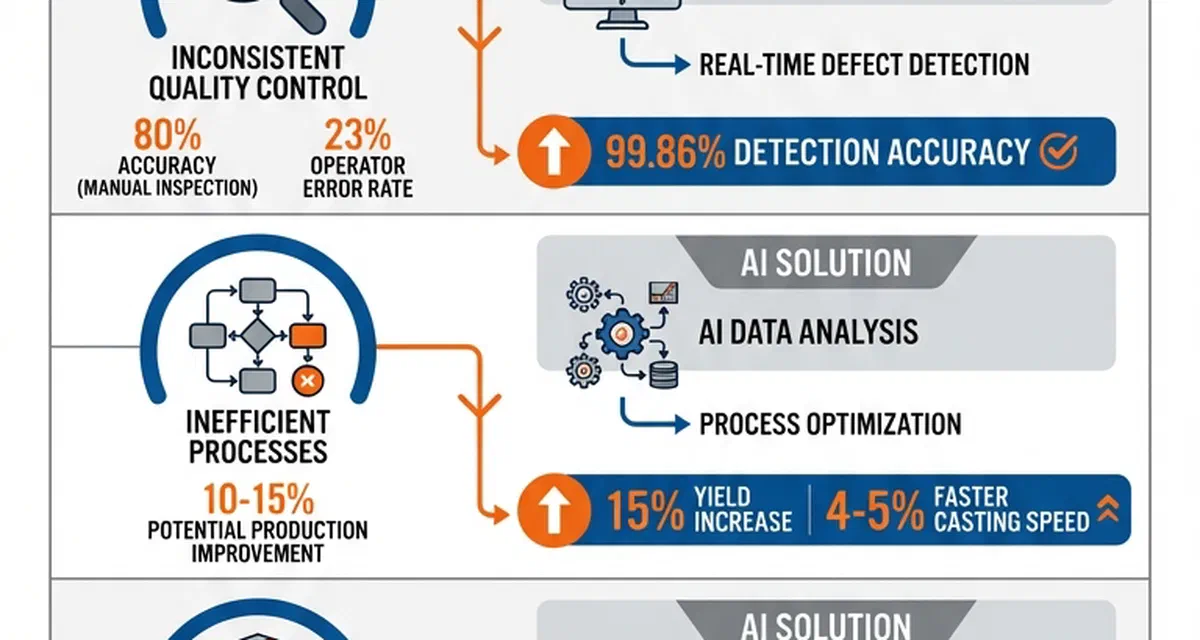
For metals manufacturers, automating mill certificate processing is a game-changer. Instead of manually inputting heat numbers, chemical compositions, or tensile strengths, OCR tools read the documents and directly populate the ERP. In early 2026, a US-based specialty wire manufacturer replaced manual quality checks with an application built using Power Apps and Power Automate, fully integrated with Dynamics 365 Business Central. This shift automated inspection triggers and standardised quality certificates, cutting defects by 20–30%, improving operational efficiency by 10–15%, and reducing costs from rework and scrap by 10–20%[1].
Another standout example is predictive scheduling. AI tools designed for cutting long products like rebar or steel beams use simulations to create optimised cut lists that minimise scrap. Midland Steel trialled such a tool in 2025 and reduced scrap rates by 50% by automating cut list generation based on inventory and order data[13]. These solutions work with your existing ERP data, avoiding the need for a complete system overhaul.
These advancements pave the way for integrating modern tools with your legacy ERP.
Connecting New Tools to Your Legacy ERP
Your legacy ERP can remain the backbone of your operations while integrating modern capabilities. APIs enable AI platforms to interact with your ERP without disrupting existing workflows[6]. Instead of direct connections, a dedicated adapter layer can act as a buffer between the ERP and AI tools, managing tasks like model selection and retries. This ensures your ERP remains stable even as new AI tools are added[5].
To keep your ERP running efficiently, model inference can be performed asynchronously, with local caching providing near-instant responses[5]. For systems without APIs, Robotic Process Automation (RPA) can step in, mimicking human actions to transfer data between legacy terminals and modern dashboards without requiring custom code[12]. The end goal is seamless, bidirectional data flow: work orders move from the ERP to the shop floor, while production and scrap data feed back in real time[8].
“If AI is the engine, then ERP-in-the-cloud is the chassis and road network. Without it, you’re limited to small, fragile, standalone pilots.” – Arturo Buzzalino, Chief Innovation Officer, Epicor[7]
Start with a focused, high-impact project - like demand forecasting or invoice matching - rather than attempting a large-scale overhaul[5][6]. Standardise your master data (e.g., item codes and units of measure) to ensure AI improves accuracy rather than amplifying inconsistencies[7]. Once you see results in one area, you can expand these capabilities across your operations, keeping the stability and familiarity of your current system intact.
Tools Built for Metals Manufacturing
With AI integrated into your ERP and routine tasks automated, the next step is adopting tools designed specifically for the complexities of metals manufacturing. These tools don’t aim to replace your ERP but instead complement it, enhancing its capabilities while addressing industry-specific challenges.
GoSmarter: AI Tools That Work with Your ERP
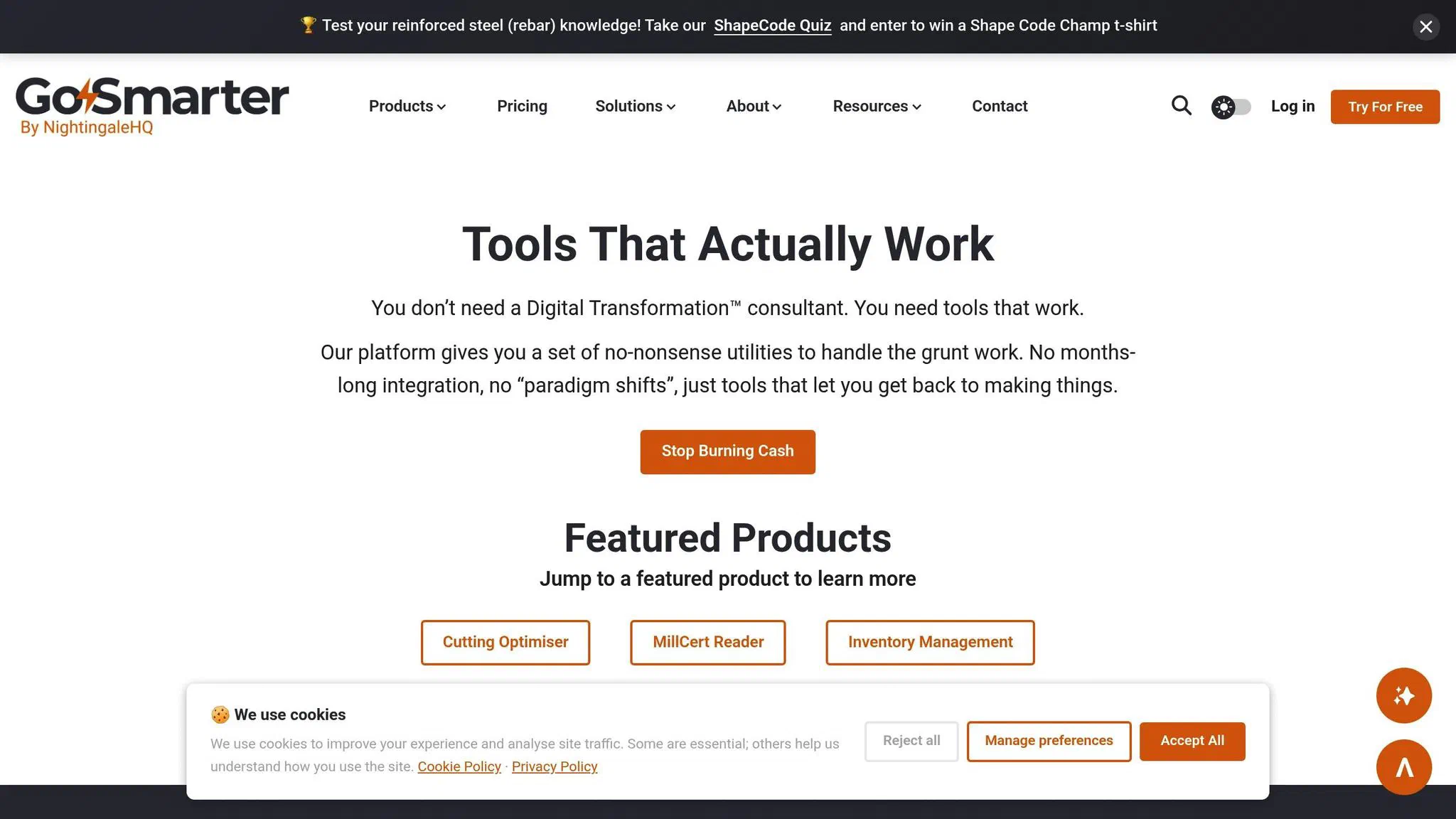
GoSmarter understands the realities of metals manufacturing: messy PDFs, outdated ERPs, and complex production schedules. Its MillCert Reader uses AI-powered OCR to instantly digitise mill certificates, removing the need for manual entry of heat numbers, chemical compositions, and tensile strengths from crumpled PDFs. This saves production teams over 10 hours a month while eliminating costly data entry errors[13].
The Smart Production Scheduler is another game-changer, optimising cutting plans for products like rebar and steel beams. This tool can cut scrap rates by up to 50%[13]. Meanwhile, the Rebar & Scrap Optimiser fine-tunes cutting patterns and tracks offcuts, reducing material costs and lowering carbon emissions. Tony Woods, CEO of Midland Steel, highlights the environmental impact of these tools:
“Smart technology choices can have a direct, measurable impact on reducing carbon emissions in steel manufacturing”[14].
GoSmarter’s tools are “good citizens” with clear, no-extra-cost APIs that you can use to integrate with your existing ERP - no need for a costly overhaul and change of ERP. For example, the MillCert Reader module connects inventory data to heat codes and provides instant access to mill certificate PDFs. The Metals Manager handles everything from customer and supplier management to inventory tracking and order processing. With competitive monthly pricing, these tools deliver immediate benefits and can be deployed in no time.
How to Deploy New Tools Quickly
The key to quick deployment is starting small. Focus on one high-friction process, such as mill certificate digitisation or scrap optimisation[4][18]. Map out critical data flows, from orders to production, and validate essential data fields like part numbers, heat codes, and timestamps. Avoid the temptation to fix decades of legacy data all at once[4].
Here’s a real-world example: In November 2021, Metal Assemblies in West Bromwich followed this approach. Production Engineer Manager Ehsan Eslamian began by installing monitoring software on a single press machine. Gradually, the system was expanded to all 30 press machines and later to CNC and robotic welding stations. The outcome? A 40% boost in machine productivity[18].
“Without Made Smarter, we would have struggled to get the funding we needed to adopt new software and identify where we were going wrong”, Eslamian shared[18].
Connecting new tools to your ERP via APIs or cloud extensions ensures smooth operations. The goal is to establish real-time data flow - sending work orders to the shop floor and feeding production and scrap data back into the ERP - without disrupting operations.
Examples from Metals Manufacturers
In June 2025, Dyer Engineering introduced Real-Time Location (RTL) tracking and 12 new Shop Floor Data Collection (SFDC) terminals, integrating them with their existing ERP. Business Improvement Director Richard Larder turned passive location data into actionable production insights. This reduced wasted motion and freed up working capital by lowering work-in-progress (WIP) levels. The project was supported by £20,000 in Made Smarter grant funding[17].
“For me, leveraging data is about facilitating human potential - giving people the tools to inform and direct decision-making”, Larder explained[17].
Even small changes, like saving one minute per labour clocking through digital terminals, can significantly impact the bottom line. For instance, this minor efficiency can add £80,000 annually to a manufacturer’s profits[17].
These examples show that 88% of companies modernising their legacy ERP systems report measurable improvements, often recouping their investment in under three years[16]. Instead of risking a full ERP replacement - where 90% of projects fail to meet ROI expectations[15] - starting small and scaling gradually is the smarter approach. Early wins pave the way for continuous improvements and long-term success.
Track Results and Keep Improving
After integrating AI and automation into your legacy ERP, the next step is all about proving the value of your investment. Without solid metrics to back up your efforts, it’s impossible to justify the time and resources spent. So, how do you measure success? By focusing on the numbers that matter most.
Which Metrics Matter for Metals Manufacturing
In metals manufacturing, not all metrics carry the same weight. Prioritise those that directly affect profitability:
- Scrap reduction: Track the percentage of flawed material or off-gauge products.
- Production cycle time: Measure the tap-to-tap time in the melt shop.
- On-time delivery rates: Gauge how often orders are shipped as promised.
Another critical metric is Overall Equipment Effectiveness (OEE), which combines performance, quality, and availability into a single figure. For context, many small-to-medium shops operate with an OEE of just 30–60%[19]. Automation can often boost this by 10–25% in just a few months[19].
Other metrics to keep on your radar include inventory turns (how quickly you move high-value stock), cost per tonne (your total production cost divided by tonnes produced), and reject ratio (the volume of scrap material). Additionally, if you’re not tracking heat number traceability and first-pass yield, you’re likely missing key insights into your quality performance.
How to Measure Before and After
Before making any changes, establish a clear baseline. Gather 2–4 weeks of real, unfiltered data - not estimates from CAM software or supervisor input. Use tools like MTConnect or OPC UA to pull actual cycle start/stop times and spindle loads directly from machines[19][10].
Run a pilot programme on a small scale - say, a few machines or part families - for 30–60 days to validate your data[19][10]. During this time, track manual interventions per shift as a way to identify process gaps. Go beyond averages by analysing cycle time distributions to uncover inconsistencies. Reconcile machine logs with ERP production counts daily during the pilot to ensure your data stays accurate and reliable[19]. Once the metrics are validated, you’ll have the confidence to roll out changes on a larger scale.
Expanding Successful Changes Across Your Operations
When your pilot shows measurable improvements, expand gradually. Roll out changes by production cell, shift, or product family instead of going all in at once[19]. To keep things organised, maintain a canonical master-data table that links ERP part numbers to shop-floor programme names. This prevents mapping errors as you scale[10].
Set up a regular data validation schedule: daily during the pilot, weekly during the initial rollout, and monthly for long-term KPI tracking[19]. Assign a business analyst to continuously gather new requirements and adapt the process as needed. Think of this as an ongoing improvement cycle rather than a one-time fix[20].
For most small-to-medium manufacturers, the payback period for OEE automation typically ranges from 3–12 months[19]. Use those savings to address other bottlenecks, and keep expanding improvements until every process runs like clockwork - without having to overhaul your entire system.
Modernise Without the Disruption
You don’t have to tear out your ERP to bring your factory up to speed with the future. The smarter move? Keep your legacy system and tackle inefficiencies by layering modern tools on top. As John Ruddy from SenecaGlobal explains:
“ERP layering enables manufacturers to minimize business disruption by quickly adding new or enhanced applications, providing better functionality without a full overhaul of the system.”[2]
This approach lets you modernise without the headaches of a full system replacement.
The key is to start small. Pinpoint a single bottleneck and automate it. The results speak for themselves: defect rates drop by 20–30%, operational efficiency improves by 10–15%, and rework costs shrink significantly. These numbers prove that you don’t need to overhaul your ERP - just address the manual tasks slowing you down.
As highlighted earlier, companies embedding AI into existing workflows see clear gains in productivity and faster decision-making. GoSmarter is designed for this very purpose. Whether it’s digitising mill certificates with AI OCR, streamlining cutting plans to reduce scrap, or automating heat number tracking, GoSmarter connects directly to your legacy ERP. No need for disruptive implementations or code overhauls. Just log in and start solving the problems draining your resources.
Modernising doesn’t mean starting from scratch. The factories that thrive are those that act quickly, measure results, and scale what works. Begin with one tool, prove its value, and build from there. Your legacy system isn’t holding you back. It’s the lack of modern tools around it. Start building today.
Frequently Asked Questions
How do I modernise without replacing my ERP?
To bring your manufacturing operations up to speed without scrapping your existing ERP system, consider ERP layering. This approach lets you build on what you already have by integrating advanced tools and technologies.
You could start by adding specialised applications through middleware or bolt-on solutions to expand your ERP’s capabilities. Want to make your older equipment smarter? Attach sensors to gather real-time data. If your team struggles with clunky interfaces, overlays can improve usability without overhauling the system.
Another smart move is incorporating a data hub. This centralises information, enabling modern analytics and AI tools to connect directly to your ERP. The result? Better efficiency and insights. No hefty price tag of a full system replacement.
Which process should I automate first for the fastest payback?
How can I connect new tools to a legacy ERP with no APIs?
Integrating new tools with an older ERP system that lacks APIs might seem like a challenge, but there are smart ways to make it work. One option is using RPA (Robotic Process Automation) combined with AI. This approach automates repetitive tasks like manual data entry and streamlines workflows, saving time and reducing errors.
Another solution is implementing a Manufacturing Data Hub or a legacy integrator. These act as bridges, enabling smooth data exchange between systems without overhauling the existing ERP. Alternatively, middleware or layering techniques can extend the ERP’s capabilities, allowing integration without tampering with its core or relying on direct API access.
What is the cheapest way to add AI to a legacy ERP?
How long does ERP modernisation take?
What are the biggest risks of ERP replacement in manufacturing?
Go deeper
- Spreadsheet-to-System Planning for Metals — how GoSmarter adds a live planning layer without displacing your existing systems
- No-Code Workflows for Metals SMEs — AI tools that work without IT departments or lengthy implementation projects
About the Author

Editor · Co-Founder & CEO
Ruth Kearney is Co-Founder and CEO of GoSmarter AI — driving commercial growth and strategic partnerships to help metals manufacturers adopt AI and digital tools that actually deliver on the shop floor.