Material Yield Planner: Stop Throwing Money in the Bin
- Steph Locke
- Blog , Free tools
- February 9, 2026
- Updated:
Table of contents Show Hide
Squeeze every last penny out of your stock
Scrap is just money you’re throwing away. If you’re not planning your cuts, you’re burning cash. Use this tool to squeeze every last part out of your stock. Whether it’s metal, wood, or whatever else you’re cutting up, stop guessing.
Why you should care
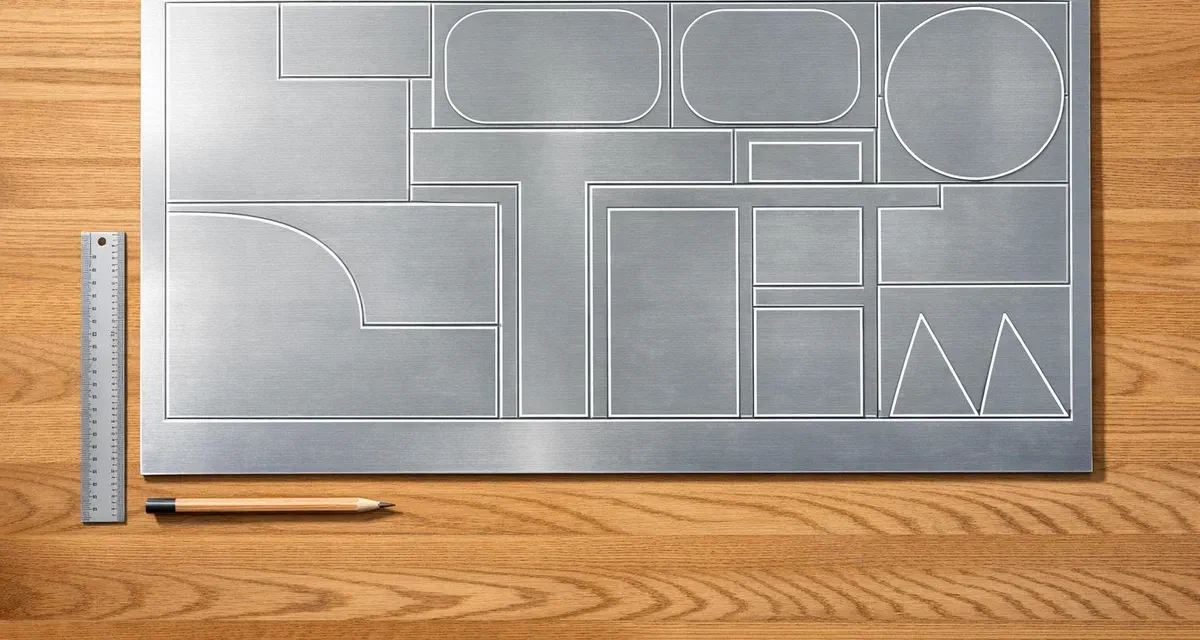
Every inch of unused material adds up. Over a year, that’s a lot of wasted profit. By using a calculator designed for yield optimisation, you ensure that each piece of stock is used to its fullest potential. This not only cuts costs but also supports sustainable practices by reducing waste. Imagine knowing before you even start cutting how to arrange parts for maximum output—pair that with accounting for kerf loss, and you’ve got a recipe for smarter fabrication.
A Tool for Every Workshop
From small-scale crafters to industrial manufacturers, planning material usage is a universal need. A reliable yield calculator takes the guesswork out of the equation, letting you focus on creating rather than calculating. Try it out and see the difference in your next project!
2D Exploration
This is our first foray into the 2D problem. In our core application GoSmarter.ai we have a much more in-depth production planner for 1D challenges. You can take your stock and orders needing fulfillment to produce a detailed cutting plan and stock pick-list as a first draft.
FAQs
How does the Material Yield Planner account for cutting loss?
When you input a kerf or cutting loss value, the tool factors in the extra space taken up by each cut. Think of it as the width of your saw blade or laser path. It adjusts the layout to ensure you’re not overestimating how many parts can fit, giving you a realistic yield number you can trust for planning.
Can I use this tool for materials other than sheets?
Absolutely, though it’s designed with flat materials like metal sheets, wood panels, or fabric in mind. If you’re working with linear materials or 3D blocks, the logic might not fully apply. Stick to 2D layouts for best results, and make sure your dimensions are consistent in units—metres, inches, whatever you prefer!
Why are the part counts rounded down?
We round down to whole numbers because you can’t use a fraction of a part in real production. It’s all about practicality—giving you a number you can actually work with on the shop floor. The leftover material calculation helps you see what’s still usable for smaller projects or future cuts.
FAQs
How can you use the Material Yield Planner as part of a production workflow?
The Material Yield Planner is a standalone tool, but its value is greatest when it is part of a broader material planning workflow. Understanding the theoretical yield from a sheet or slab before production starts sets the baseline against which actual yield can be compared. If actual yield consistently falls below theoretical yield, that gap is worth investigating — it might reflect cutting plan inefficiency, machine calibration issues, or material quality variation.
For manufacturers who want to go further, GoSmarter’s production planning tools in the main platform take the 1D and 2D optimisation problems that this free tool addresses and apply them at scale — across multiple orders, multiple stock items, and multiple production priorities, generating cutting plans and pick lists that can be taken directly to the shop floor.
Why does kerf matter more than most people think?
Kerf loss accumulates. A 2mm laser cut on a 2m x 1m sheet with 100 parts might add up to a significant area of material lost to cutting. On cheap material at low volumes, this is background noise. On expensive material at high volumes — structural steel plate, aluminium alloy, stainless sheet — the accumulated kerf cost is worth calculating and where possible minimising.
The kerf input in the Material Yield Planner makes this calculation explicit. Enter the kerf for your cutting method (laser, plasma, waterjet, saw) and the tool accounts for it in the yield calculation, giving you a realistic number to plan from rather than an optimistic one that assumes zero cutting loss.
When to use the free tool vs the GoSmarter platform?
The free Material Yield Planner is ideal for quick, individual calculations — estimating yield from a specific sheet for a specific job, or exploring the impact of different kerf values or part sizes before committing to a cutting plan. For ongoing production planning across multiple jobs and multiple materials, the GoSmarter platform provides the full production planning suite with order management, stock allocation, and optimised cutting plan generation.
Start with the free tool to understand the problem. Move to the platform when you are ready to solve it systematically.
Go deeper
- Scrap, Waste & Yield Optimisation — beyond the calculator: AI-optimised cut plans for live production planning