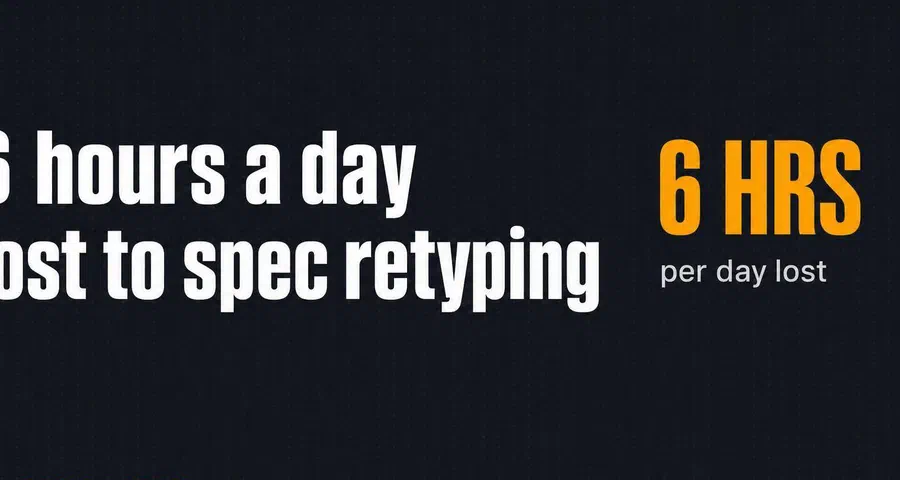
Kill the PDF Nightmare: Stop Spending Six Hours a Day Copying Specs from Blurry Faxes
- BlogSmarter AI
- Edited by Steph Locke
- Blog
- June 19, 2026
- Updated:
Table of Contents Show Hide
If you are still retyping mill certs, faxed POs and blurry drawings by hand, you are not doing quality or planning work. You are doing data janitor work, and it is eating time, adding errors, and slowing jobs before they even hit the shop floor.
AI Optical Character Recognition (OCR) for metals manufacturers is where the real time savings start. GoSmarter reads messy mill certs, drawings and delivery paperwork, pulls out the specs, heat numbers and grades, then sends the data into the systems you already use. No new Enterprise Resource Planning (ERP) system. No giant IT project. Just less typing and fewer bad numbers creeping into stock, quotes and traceability records.
What you get:
- Less admin sludge in quoting, planning and quality
- Fewer typing mistakes on grades, lengths, tolerances and heat numbers
- Faster cert lookup, with records found in under 30 seconds
- Shorter planning time, with one trial dropping from 2 hours to 15 minutes
- Lower scrap, with a reported cut of 2.5 percentage points
- A clean trial path, starting with MillCert Reader on its own
Here’s how to fix it.
Where manual paperwork hits hardest
Manual retyping does the most damage in quoting, planning and quality. Same workflow. Same paperwork. Different ways to lose time and money.
Quotes slow down when every grade and length must be typed by hand
A sales engineer gets a blurry drawing PDF or a faxed Request for Quotation (RFQ). The grade, tolerance band and cut lengths are on the page. But they don’t jump into your ERP or quoting system by magic. Someone still has to type every field by hand. Manual quote capture takes 10 to 20 minutes, and pulling data from a technical drawing can take up to two hours per drawing [1].
This is where the mess starts.
- Get the grade wrong and you allocate the wrong stock.
- Get the length wrong and the cut plan falls apart.
- Misread the tolerance and you quote work you can’t hold in production.
By the time anyone spots it, the quote has gone out, the customer has said yes, and your margin has already taken the hit.
Those are the same fields AI OCR can pull on its own.
Planning breaks down when work orders start with bad data
Planners spend 20% to 40% of their working time retyping data from PDFs into spreadsheets or ERP systems [1]. That’s dead time. You should be building cut lists, making nesting calls and keeping the schedule from drifting off course. Instead, you’re keying in numbers from a document somebody should never have printed in the first place.
The scrap issue is where this starts burning cash. Industry best practice for scrap rates in long product manufacturing is 2.5% or lower, but manual planning often lands between 3% and 8% [7]. On a busy week of rebar or structural sections, that gap is not small. It’s material cost walking out the door.
In a December 2024 UK trial, Midland Steel processed 734 tonnes across 193 jobs. Planning time dropped from roughly two hours to 15 minutes, and scrap fell by 2.5 percentage points, cutting their previous baseline in half [7][1]. The operations manager noted:
“A morning of planning became a five-minute review.”
- Operations Manager, Midland Steel [7]
Clean input data is what turns scrappy paperwork into a schedule you can actually use.
Quality teams should not spend afternoons typing heat numbers
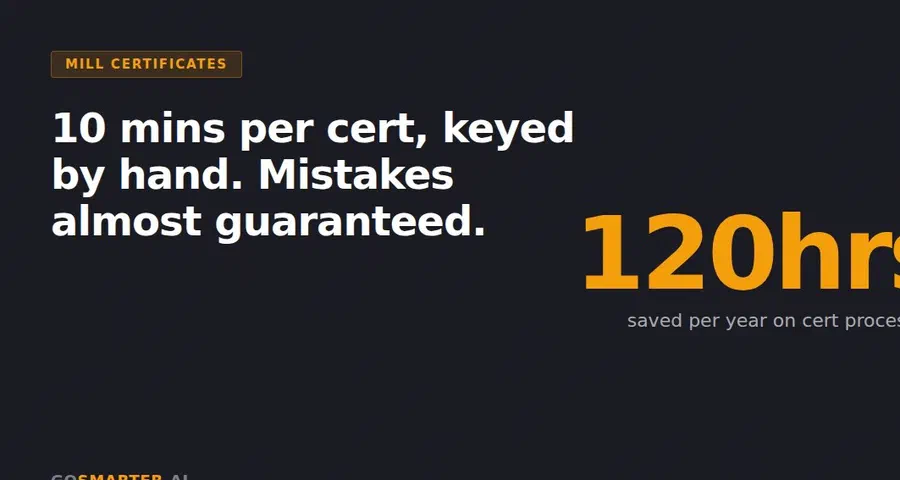
Manually processing a single mill test certificate takes about 12 minutes [1]. On a busy goods-in shift, that eats a big chunk of a quality engineer’s day. And for what? Typing. Not checking. Not verifying. Just moving data from one place to another like it’s still 1998.
Under EN 10204, ISO 9001 and AS9100, traceability is a compliance requirement. Heat numbers, chemical compositions and mechanical properties must be recorded correctly and ready to pull when needed. If a customer asks for proof that material meets spec, you need that cert fast. An AI-indexed system can retrieve it in under 30 seconds [1].
A single transposed digit in a heat number breaks the traceability chain. That’s not skilled quality work. That’s admin drudgery pretending to be quality control.
These are the exact documents AI can clean up first.
How AI reads messy documents and turns them into usable data
Old-school OCR just reads characters. Fine, if your paperwork is neat, flat and from the same supplier every time. On a shop floor, it rarely is. AI document capture goes further. It works out what each field is, then sends it to the right record.
So when a faxed mill cert turns up skewed, scruffy and laid out nothing like the last one, the system uses layout recognition to find the fields without needing a supplier-specific template. It also maps terms like “Heat No.”, “Cast No.” and “Schmelznummer” to the same field in your records [2][6]. That matters because the same bit of paperwork often feeds quoting, planning and quality. If someone has to retype it three times, you’re paying for the same admin three times.
The fields AI pulls automatically from mill certs, drawings and delivery notes
The output is structured data, not just a tidier image. From a single mill cert, AI can pull:
- heat and batch number
- material grade
- chemical composition
- mechanical properties, including yield strength, tensile strength and elongation
- product dimensions and tolerances [2][4]
That data goes straight into your ERP, scheduling or quality records without anyone touching a keyboard.
At Midland Steel, MillCert Reader pulled chemistry and mechanical properties from incoming certs, saving 10 hours of manual admin a month and renaming documents by heat code [8].
“What used to take hours every week is done in seconds.” - Production Manager, Midland Steel [8]
Getting the fields out is only half the job. The other half is making sure bad data doesn’t slip into ERP and cause a mess later.
How AI checks data before bad data hits production
Extraction is only half the job. AI gives every field a confidence score. If it’s not sure, it sends that field for human review before anything updates in ERP [2]. The high-confidence fields go straight through. GoSmarter flags the doubtful ones for review.
Better systems also run metallurgical plausibility checks. They check whether the total of alloying elements is physically reasonable, or work out the Carbon Equivalent Value (CEV) to see if the data stacks up [6]. That means GoSmarter catches bad heat numbers, wrong grades or invalid chemistry at review. Nothing bad reaches quoting, scheduling or traceability.
Manual typing versus AI capture: a direct comparison
AI extraction hits field-level accuracy of 97% to 99.79% on technical metals documents [2][6]. Manual data entry has no such benchmark. It also gives you no built-in warning when someone keys in the wrong value after a long shift.
| Manual | AI capture | |
|---|---|---|
| Time per document | Repeated manual typing | Done in seconds [8] |
| Error risk | High. Depends on whoever is typing | Low. Confidence scoring flags uncertain extractions before ERP is updated [2] |
| Audit trail | Depends on the operator; gaps can appear under audit | Structured fields and validation |
| Job release speed | Delayed until admin is complete | Data available immediately after document receipt |
| Compliance readiness | Manual cross-referencing at point of audit | Heat numbers, compositions and cert types captured in structured records |
That production manager saved 10 hours of manual admin per month [8]. That’s roughly three working weeks a year [5][4]. Not magic. Just less typing, fewer mistakes and clean data ready for the next step.
How GoSmarter removes the PDF problem without replacing your ERP
This is where the clean data from the last section stops being a nice idea and starts doing actual work. GoSmarter’s AI production assistant sits on top of your existing ERP, quoting and quality systems, so the data lands where your team already works. No more printing, typing, checking, then typing it all again because some poor soul missed a heat number the first time.
Start with MillCert Reader and stop retyping cert data
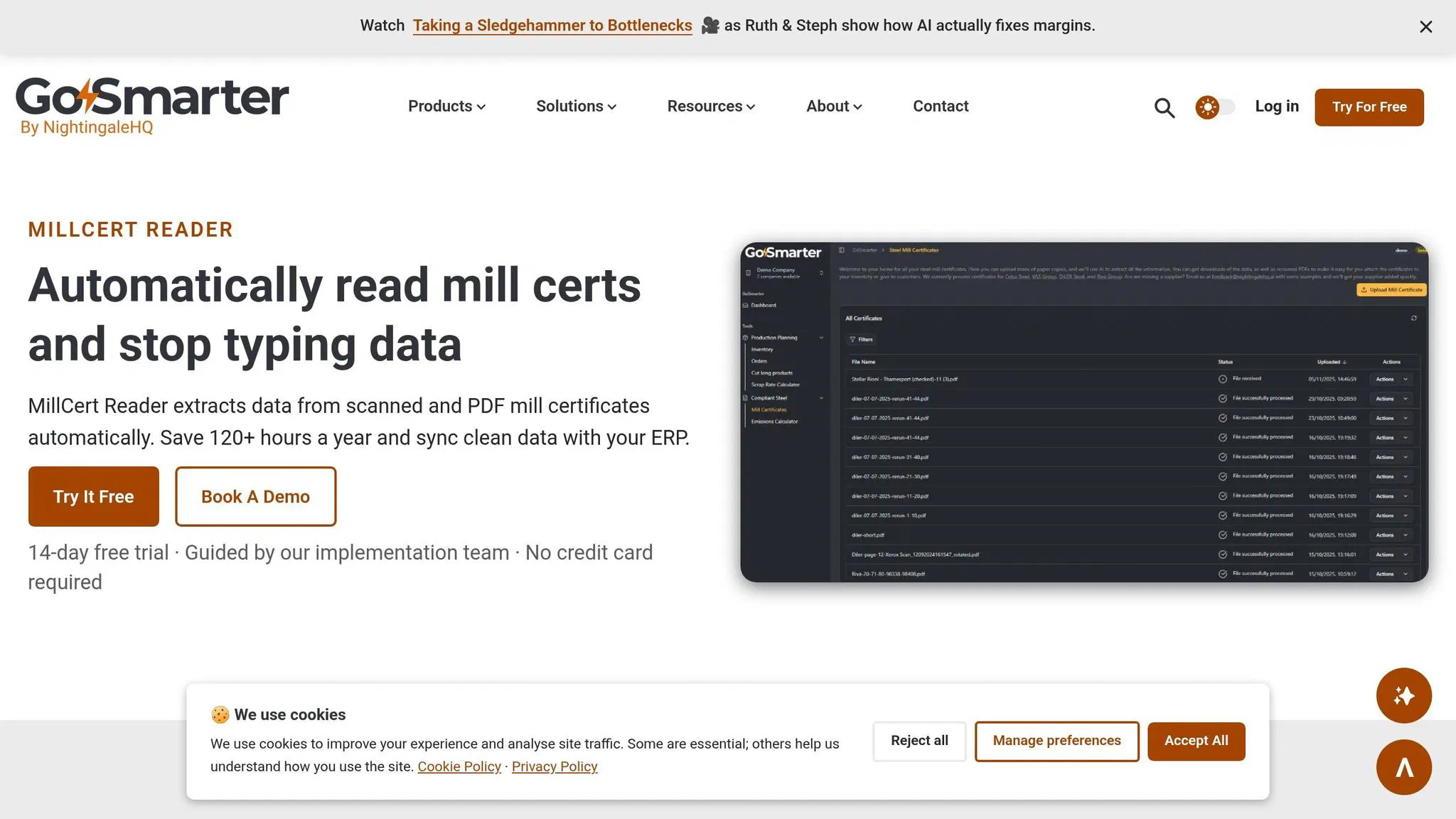
GoSmarter MillCert Reader pulls in PDFs and scans straight from email inboxes, shared folders or scanners. From a single mill cert, it extracts heat numbers, grade, chemistry and mechanical properties [4][5]. That data then links straight to your stock traceability records, so every item in stock stays tied to its heat code. When a customer or auditor asks for a cert, retrieval drops from 20–30 minutes of folder-hunting to under 30 seconds [1][4].
“GoSmarter saves us hours every month - it pulls the key data out of mill certificates automatically and renames the files straight away. That whole process used to be painfully manual.” - QC Manager, UK Steel Stockholder [4]
Once the data is in, you get control as well as speed. Low-confidence reads go to human review. Every correction is logged for audit. Unapproved certs stay in draft until reviewed, which gives you an immutable record for EN 10204 3.1/3.2 compliance [4][3].
Clean input data leads to better cutting plans, less scrap and faster job release
Clean cert data doesn’t just tidy up the back office. It feeds straight into Metals Manager and Cutting Plans. If the input data is right, your first-draft cutting plans are right. Offcut tracking makes sense. Job release doesn’t grind to a halt because someone’s chasing a missing heat number through three folders and an inbox from 2022.
In Midland Steel’s trial, clean cert data fed cutting optimisation, cutting scrap by 2.5% and reducing planning time from two hours to 15 minutes [1][7]. That takes planning from a chunky morning task to something you can sort before the tea goes cold.
“Turned a morning of planning into a five-minute review. We cut scrap rates in half during trials.” - Operations Manager, Midland Steel [7]
What the numbers look like on a UK shop floor
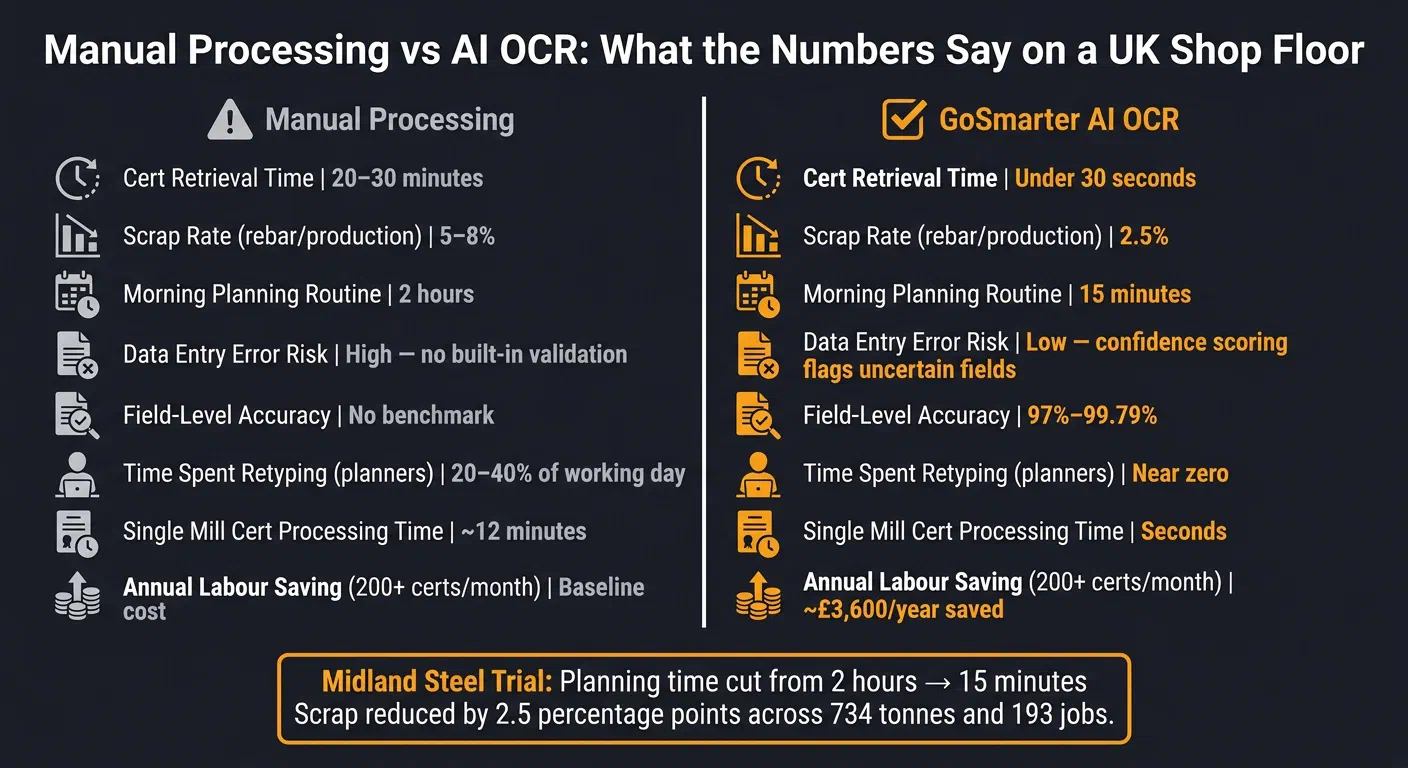
On a UK shop floor, the payoff shows up in time, scrap and faster release. It also shows up in the problems you don’t have. A single compliance incident or recall avoided can save between £5,000 and £50,000 [7].
| Metric | Manual Processing | GoSmarter AI |
|---|---|---|
| Cert retrieval time | 20–30 minutes | Under 30 seconds [1] |
| Scrap rate (rebar, production trial) | 5–8% | 2.5% [7] |
| Morning planning routine (Midland Steel) | 2 hours | 15 minutes [1][7] |
Run GoSmarter MillCert Reader on your next batch of certs and measure the hours you get back
If you want to see the savings on your own shop floor, keep it simple. Start with one cert flow. Pick incoming mill certs from one supplier group, set three baseline figures, and run GoSmarter MillCert Reader on that flow for your first month [4].
Track:
- cert retrieval time
- data-entry errors caught
- morning planning time
Run the test without touching your current systems. Upload your existing PDFs, index the backlog, then process live incoming certs in parallel with your current spreadsheet for the full month [9]. No big IT circus. No ripping out tools your team still needs. At the end of the month, compare the two.
A team processing 200+ certificates a month can cover its annual subscription cost through labour savings alone. The estimate is £3,600 per year, based on a £30-per-hour labour rate [4]. New customers get a 7-day free trial to make that comparison risk-free [4].
Start with MillCert Reader on its own. No ERP connection required. That means you can prove the Return on Investment (ROI) against the certs your team is retyping today, then measure the hours you get back from manual entry. If the numbers stack up, expand from there [4].
FAQs
How does AI OCR handle poor-quality certs and faxes?
GoSmarter uses AI trained on mill certificates from the shop floor, not tidy demo files. That means it can read poor scans, blurry faxes and awkward layouts without you wasting half the morning squinting at a PDF.
It combines OCR and Natural Language Processing (NLP) to pull out the bits that matter, such as heat numbers, chemical composition and mechanical properties. So instead of typing everything in by hand and hoping nobody slips a digit, you get structured, accurate data with fewer transcription mistakes.
Do we need to connect it to our ERP straight away?
No. You can start using GoSmarter MillCert Reader straight away without a full ERP integration.
If your current setup is a patchwork of spreadsheets, inboxes and half-finished system projects, that’s fine. You don’t need to wait for some giant ERP job before you get going.
GoSmarter MillCert Reader includes a REST API for automated, real-time data flow into your ERP or quality management systems. But you can start with CSV exports now, then add the live API connection later. No reimplementation required.
What should we measure in your first month?
Measure time saved on admin work and any drop in data-entry mistakes. You want a clear before-and-after view: how long did mill certificates take when someone had to slog through them by hand for hours, and how long do they take once extraction is automated? In most cases, that falls to under 10 seconds per report.
Then look at the data itself. Check whether the extracted chemical compositions, heat numbers and mechanical properties are right. Also check whether the digital audit trail is easy to search and whether it fits neatly into your current goods-in and inventory workflow, instead of adding yet another system your team has to wrestle with.
About the Author

Editor· Co-founder & Head of Product
Steph Locke is Co-founder and Head of Product at GoSmarter AI — former Microsoft Data & AI MVP building practical tools to cut paperwork and automate compliance for metals manufacturers.