GoSmarter vs Sage 50 for Metals Inventory Management
- Steph Locke
- Edited by Ruth Kearney
- Blog , Learning
- March 24, 2026
- Updated:
Table of Contents Show Hide
Sage 50 cannot manage steel inventory at the level metals businesses need. It handles UK accounting brilliantly. Tracking steel by heat number, grade, and mill certificate is a different problem entirely.
Sage 50 is installed in hundreds of thousands of UK businesses. It has been the backbone of small and medium-sized enterprise (SME) accounting for decades. Your accountant almost certainly knows it. Your finance team trusts it. It handles VAT returns, payroll, purchase ledger, and year-end without drama.
Sage 50 earns its keep. Just not for tracking steel by heat number.
Sage 50 was built to track money, not metal. It handled SME accounting brilliantly in 1995. It still handles the books just fine. The question is whether what it was designed to do covers what you actually need for metals inventory management. The honest answer is mostly no.
What Sage 50 Does Well
Let us be clear about where Sage 50 earns its place.
- UK accounting compliance. VAT returns, Making Tax Digital, payroll, PAYE: Sage 50 handles all of this reliably and keeps you on the right side of HMRC.
- Supplier and customer management. Purchase orders, sales invoices, credit control: the financial workflow around buying and selling stock is solid.
- Stock control basics. Sage 50 has a stock management module. You can create product records, set reorder levels, track quantities, and run stock valuations.
- Financial reporting. Profit and loss, balance sheet, cash flow: Sage 50 gives you the financial picture of the business clearly.
- Accountant familiarity. When your accountant or bookkeeper sits down with your data, they already know Sage. There is no learning curve on their end.
- Integration with other Sage products. If you use Sage Payroll, Sage HR, or Sage CRM, they connect cleanly.
For the financial side of running a metals business, Sage 50 is a reasonable choice, particularly for businesses that prioritise accounting compliance and familiar tools over operational sophistication.
Where Sage 50 Runs Out of Road for Metals
The stock control module in Sage 50 was designed for businesses that sell units: boxes, widgets, items with a barcode and a Stock Keeping Unit (SKU). Steel does not work like that.
Problem 1: Steel is not a SKU
A steel bar is not just a product code. It is a specific piece of material with a grade, section, delivery condition, surface finish, heat number, and a mill certificate that proves it meets the specification. Two bars of the same product code might come from different heats with different chemical compositions. In some applications, that matters.
Sage 50’s stock records hold a description, a quantity, a unit of measure, and a cost. That is not enough to manage steel inventory properly. There is nowhere to put the heat number, the certificate reference, the EN 10204 type, or the grade sub-designation.
Problem 2: No mill certificate handling
When you deliver steel to a customer who requires EN 10204 (the European standard for mill test certificates for metallic materials) 3.1 documentation, you need to prove that the specific material you supplied came from a specific heat with specific chemical and mechanical properties. The proof is the mill certificate.
Sage 50 does not know what a mill certificate is. It has no mechanism for linking a stock item to a certificate, for checking that the certificate covers the grade specified on the order, or for generating a traceability record that links sale to stock to cert.
This is not a niche requirement. For any metals business supplying into construction, engineering, or fabrication, traceability to mill certificate is a normal commercial expectation. Sage 50 simply cannot help with this.
Problem 3: Quantities in Sage are not lengths
Steel is sold and tracked by length, weight, or number of pieces, and often all three simultaneously. A Sage 50 stock record can track one unit of measure. In practice, you are almost always juggling kilograms, metres, and pieces at the same time.
A bundle of 20 bars at 6 metres, weighing 1,840 kg, might be partially consumed: 12 bars cut to 4 metres for one order, 5 bars cut to 3.5 metres for another, 3 bars remaining in stock at full length. Tracking this in Sage 50 requires creative workarounds. Creative workarounds mean errors.
Problem 4: No yard-level visibility
Where in the yard is the stock? Which rack, which bay, which end of which bundle? Sage 50 does not have a concept of a physical location within your premises beyond warehouse-level organisation. For a steel service centre with thousands of individual items in different locations, you need more granularity than that.
Problem 5: Grade allocation and reservation
When a sales order comes in for 2 tonnes of S355 to be cut next week, you want to reserve that material against the order immediately, so it does not get used for something else in the meantime. Sage 50’s stock module can reduce quantity on order, but it does not have a proper reservation or allocation workflow that keeps the available stock accurate while material is committed to an order.
What GoSmarter Does Instead
GoSmarter’s Inventory Management was built specifically for the way metals businesses work. It handles the parts of inventory management that Sage 50 cannot: without replacing what Sage 50 does well.
- Metals-specific stock records. Grade, section, heat number, delivery condition, surface treatment: all structured, searchable, and linked to the right material.
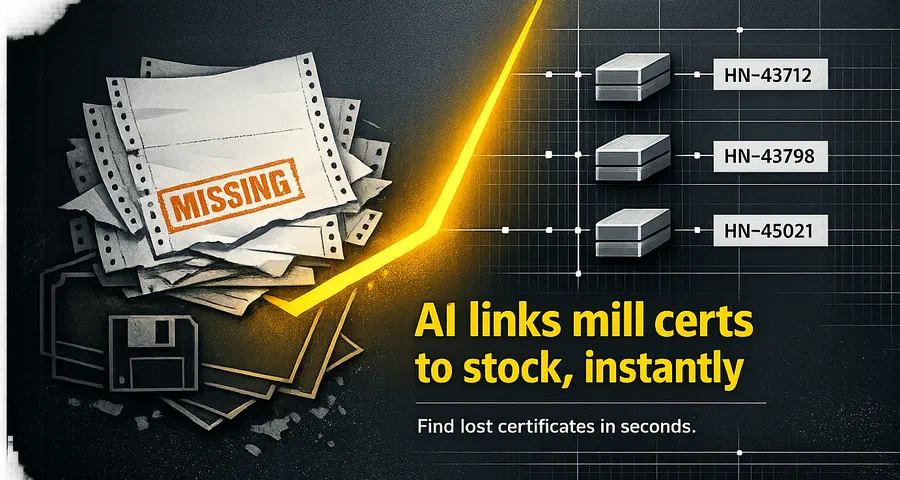
- Mill certificate linking. Every stock item is linked to its mill certificate. The traceability chain from sale to stock to cert is built automatically.
- Multi-unit quantities. Track pieces, lengths, and kilograms simultaneously. Understand what you have in weight terms and length terms at the same time.
- Location tracking. Know which rack and bay a bundle is in. Find material without walking the yard.
- Allocation and reservation. Reserve material against an order and keep the available quantity accurate across the business.
The Direct Comparison
| Capability | Sage 50 | GoSmarter Inventory |
|---|---|---|
| UK accounting and VAT compliance | ✅ Excellent | ❌ Not accounting software |
| Financial reporting | ✅ | ❌ |
| Supplier purchase orders | ✅ | ✅ (operational level) |
| Sales invoicing | ✅ | ❌ |
| Basic stock quantity tracking | ✅ | ✅ |
| Metals-specific data (grade, section, heat) | ❌ | ✅ |
| Mill certificate linking | ❌ | ✅ |
| EN 10204 audit trail | ❌ | ✅ |
| Multi-unit quantity tracking (kg, m, pcs) | ❌ | ✅ |
| Yard location tracking | ❌ | ✅ |
| Material allocation and reservation | Limited | ✅ |
| Integration with accounting systems | Native Sage integration | CSV / API |
Using Both Together
GoSmarter plays nicely with your accounting stack. Sage does not even notice it is there. It does not try to replace Sage 50. The right answer for most metals SMEs is to use both.
Sage 50 handles the money: invoices, purchase ledger, VAT, year-end. GoSmarter handles the metal: what you have, where it is, what spec it is, and what cert it came with. When you receive a delivery, GoSmarter captures the operational detail. That data can flow to Sage 50 for financial accounting purposes.
GoSmarter is EU-hosted and GDPR compliant. Your data is exportable as CSV at any time. If you cancel, you have 30 days to export everything. No exit fees. No lock-in. For a business already committed to one software vendor for its books, that kind of flexibility matters when adding a second tool.
GoSmarter was designed to play nicely with existing systems. If Sage 50 is your financial backbone, GoSmarter complements it rather than replacing it. You keep the accounting tool your finance team and accountant already trust. You add a purpose-built layer for the metals-specific operations that Sage cannot handle.
Most GoSmarter customers who come from a Sage 50 background continue using Sage 50 for finance. They stop using it to track stock.
Frequently Asked Questions
Does GoSmarter integrate with Sage 50?
We have been on Sage 50 for twenty years. Do we have to replace it?
Can Sage 50 track steel by heat number?
What if we also use Sage 200 or Sage Intacct?
Is GoSmarter suitable for a small metals business on a tight budget?
Try It Alongside Sage
GoSmarter offers a 7-day free trial. If your business already runs on Sage 50 for accounting, try GoSmarter for your operational inventory and see how the two tools work together.
Get a 7-day free trial. Start Your Free Trial →
Or book a demo and we will show you the gaps Sage leaves, and how fast GoSmarter fills them.
Related Reading
- GoSmarter Metals Manager product page — features, pricing, and first-month offer
- GoSmarter MillCert Reader product page — AI-powered mill certificate extraction and EN 10204 traceability
- GoSmarter vs Excel for Metals Inventory Management — the other common alternative
- Mill Certificate Automation for Metals Manufacturers — understanding the cert traceability problem
- Integrated Cert Traceability & Auditability — EN 10204 compliance explained
GoSmarter is made by Nightingale HQ, a UK-based AI company building practical tools for metals manufacturers.
About the Authors

Co-founder & Head of Product
Steph Locke is Co-founder and Head of Product at GoSmarter AI — former Microsoft Data & AI MVP building practical tools to cut paperwork and automate compliance for metals manufacturers.

Editor· Co-Founder & CEO
Ruth Kearney is Co-Founder and CEO of GoSmarter AI — driving commercial growth and strategic partnerships to help metals manufacturers adopt AI and digital tools that actually deliver on the shop floor.