Still Tracking Stock Like It’s 2005? Real-Time Inventory for Metal Shops
- BlogSmarter AI
- Blog
- March 22, 2026
- Updated:
Table of contents Show Hide
Still running your metal shop on spreadsheets? Stop. It’s costing you.
Every misplaced mill certificate, double-booked stock, or forgotten offcut is bleeding your margins dry. Manual systems aren’t just outdated - they’re a liability. Missed reorders, wasted materials, and compliance headaches are the norm when your inventory “system” is a stack of paper logs or an Excel file from 2010.
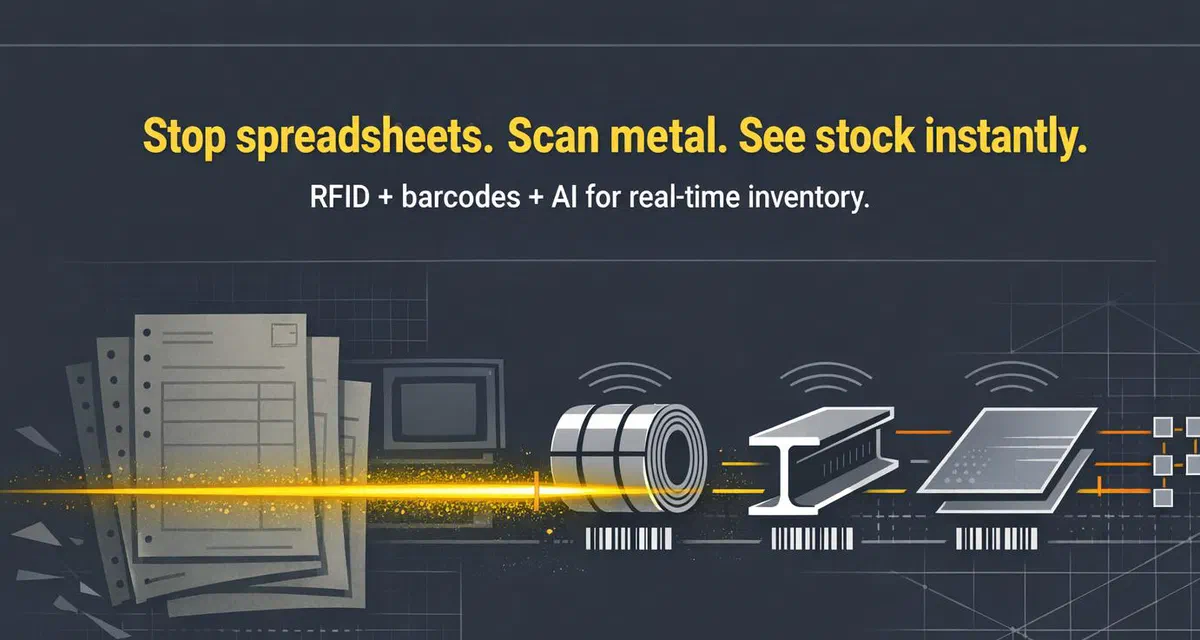
Here’s the fix: real-time inventory management. It’s not just about knowing what’s in stock - it’s about knowing where it is, what it’s for, and how to use it smarter. Digital tools like RFID, barcode scanning, and AI-powered systems turn chaos into clarity — cutting inventory discrepancies by over 90% [2] and slashing scrap rates for operations that track offcuts properly.
The old way? Hours wasted hunting for stock and guessing at reorders.
The smart way? Scan, track, and optimise - so your team can focus on production, not paperwork.
Let’s break it down step by step.
Why Sticky Labels Don’t Survive a Metal Shop (And What Does)
Step 1: Move to Digital Inventory Tracking
Switching to digital inventory tracking is the first step to solving the headaches caused by manual processes. As mentioned earlier, relying on handwritten records or manually entering data into Excel often leads to costly mistakes. A simple typo in a heat code or a misread number can create phantom inventory that doesn’t exist or make actual stock seem to vanish. These errors pile up over time, leaving your records increasingly unreliable.
Digital tracking simplifies this by automating the process. Instead of manually entering part numbers or digging through filing cabinets for mill certificates, you just scan a barcode, and the system handles the rest. The impact is immediate - inventory discrepancies typically drop by over 90% within just a few months [2]. This means your team spends less time fixing errors and more time focusing on productive work. To tackle these challenges effectively, automated tracking tools are the way forward.
Use RFID and Barcode Scanning
RFID and barcode scanning technology turn every piece of metal into a fully traceable asset. When stock arrives, you scan it. When it moves to the cutting bay, you scan it again. Every movement is logged in real time, ensuring complete traceability - something that’s vital for industries like defence or aerospace, where compliance is non-negotiable [4].
The right hardware makes all the difference. Metal shops are tough environments, so you need rugged mobile devices that can handle dust, grease, and high temperatures. Industrial-grade scanners and tablets are built for these conditions and won’t let you down, even if they’re dropped near a plasma cutter [4]. Pair these devices with mobile printers to create on-the-spot labels, so production keeps moving without delays.
Once your physical inventory is tracked accurately, the next step is to connect this data with your existing ERP system.
Connect with Existing ERP Systems
You don’t have to throw out your current ERP system to achieve real-time inventory tracking. Tools like GoSmarter work alongside legacy systems, acting as a “production-floor source of truth” [1]. They feed cleaner, more detailed data back into your ERP via API or CSV exports. While your ERP focuses on big-picture financials, GoSmarter handles the nitty-gritty details - like tracking which offcut is stored on which rack and linking mill certificates to the correct batch.
This layered approach saves you the cost and disruption of replacing your ERP while still giving you the real-time visibility you need. As GoSmarter explains:
GoSmarter’s inventory data is more current and more granular than what the ERP typically holds [1].
Step 2: Use Real-Time Analytics to Improve Inventory
Once you’ve got digital tracking sorted, the numbers start telling you things you can actually use — like which jobs are eating your margins, where stock is quietly going missing, and when you’re about to run short on a grade mid-job. Real-time analytics turn raw scans and timestamps into decisions you can act on today.
Use Data for Demand Forecasting
Real-time analytics give you a clear view of your inventory situation, including the difference between what’s physically available and what’s already allocated. Say your ERP shows 500 kg of grade 316 stainless steel. If 400 kg is already tied to active jobs, GoSmarter flags the shortage before your production schedule falls apart. These alerts also help you identify slow-moving stock or surplus inventory early, avoiding costly write-offs [1]. There is a delivery performance benefit too. When live allocation data tells your production team exactly which material is free versus committed, job sequences become predictable — and on-time, in-full delivery rates improve as a direct result. Fewer emergency purchases, less over-ordering, lower stock-holding costs. Research shows that analytics powered by AI can cut lost sales by 25% and reduce excess inventory by 20% [3]. This level of insight also helps pinpoint inefficiencies on the shop floor.
Monitor Scrap Rates and Offcuts
A digital scrap logger keeps track of every piece that doesn’t end up in a finished product, helping you spot issues like poorly calibrated equipment or nesting software that doesn’t account for kerf (the width of the cut). GoSmarter’s Cutting Plans AI optimises cutting sequences against your actual stock, including remnants and offcuts. Long-products processors typically see scrap reductions of 20–50%, depending on product mix and starting baseline [6]. It also promotes offcut reuse, allowing you to check for leftover materials before placing new orders [6]. For instance, instead of ordering a fresh 6-metre bar, you can see if a 2-metre offcut from a previous job will do the trick. This not only saves money but also minimises waste, cutting down on carbon emissions by making better use of what you already have [1]. The environmental numbers are meaningful: producing a tonne of steel generates roughly 1.85 tonnes of CO₂e [14]. Recovering that tonne from scrap rather than new production saves approximately 1.4 tonnes of CO₂e. A metal shop that cuts its scrap rate by 20 tonnes per year — a realistic outcome for a mid-size long-products processor — avoids roughly 28 tonnes of CO₂e annually. That’s a board-level number, not just an operational one.
Implement FIFO and Heat Code Traceability
With real-time analytics in place, enforcing process standards like FIFO (First In, First Out) becomes much easier. FIFO prevents older stock from sitting idle and turning obsolete. Automated systems flag older inventory for use first, helping you avoid the discrepancies that can arise with manual tracking [1].
Another critical area is heat code traceability, especially in industries where compliance is a must. Each piece of metal needs a detailed history - grade, heat number, properties, and composition. Manual tracking often leads to lost PDFs or errors in heat codes, which can be a nightmare during audits. GoSmarter’s MillCert Reader uses AI to pull data from those clunky PDF mill certificates and link it directly to stock items upon receipt. This ensures full traceability without the hassle of manual entry [1][5]. By automating this process, production teams save over 120 hours per year [6] and can instantly retrieve mill certificates for customer inquiries or regulatory checks. MillCert Reader also flags anomalies automatically — certs where the reported yield strength falls outside the ordered spec, heat numbers that don’t match the purchase order, or non-standard multi-page formats that trip up manual entry. Non-conformances are raised before the material reaches the cutting bay, not after it’s been processed.
Step 3: Give Teams Mobile Access to Real-Time Updates
Tracking data is useless if your team still has to walk to a PC to check it. Put the data in their pocket. That’s what Step 3 is about.
Equip Shop Floor Teams with Real-Time Data
With mobile barcode scanning, material usage is logged directly at the workstation. No more running back and forth to jot things down manually - a process prone to errors that often lead to stock mismatches [2]. Barcode scanning is not only faster (4–7× quicker than manual entry) but also significantly more accurate [7]. As Ashley Taylor, Product Manager at Cleverence, puts it:
Running a modern fabricated metal products operation without real-time inventory visibility is a shortcut to chaos [2].
Mobile dashboards further streamline operations by offering instant access to stock levels, committed quantities, and heat codes for procurement, production, and sales teams. This eliminates outdated manual logbooks. Many mobile systems can be operational within a day, and full ERP integration typically takes just one to two weeks [1][2]. With these tools, inventory discrepancies can drop by over 90% within just a few months [2]. Plus, this real-time access ensures smooth coordination across multiple locations.
Manage Inventory Across Multiple Locations
For businesses operating across multiple sites, mobile access becomes essential. Cloud-based systems consolidate data from all locations, offering a single, unified view of inventory. Whether it’s stock at the main workshop, overflow warehouse, or in transit, you’ll know exactly where everything is [1][8]. Each transfer is timestamped, creating a clear digital audit trail [1][7].
Even in areas with poor connectivity, offline-capable mobile apps keep things running. These apps log transactions locally and automatically sync them once the connection is restored, ensuring no delays in tracking material picks [7][8].
Mobile inventory management puts real-time control in your team’s hands [7].
Common Mistakes When Implementing Real-Time Inventory
Metal shops often trip up in two key areas: picking overly complex technology and underestimating how loudly the shop floor will push back when you hand them a new system. Here’s how to avoid both.
Keep Technology Simple
A common error is treating real-time inventory like a massive IT overhaul with a lengthy setup. Shockingly, nearly 40% of companies still don’t use mobile computers or barcode scanners for inventory [12]. Many off-the-shelf systems miss crucial features like mill cert tracking or heat number traceability. Instead of simplifying workflows, these tools can create more work, forcing teams to juggle spreadsheets alongside the new system. When implementation drags on, frustrated employees often return to their old habits.
The solution? Opt for systems that require minimal setup. GoSmarter Inventory Lite lets teams upload existing stock data from spreadsheets and start tracking immediately — no consultants, no drawn-out IT projects [1]. Getting the technology right is only half the battle, though. The human side matters just as much.
Getting Your Team On Board
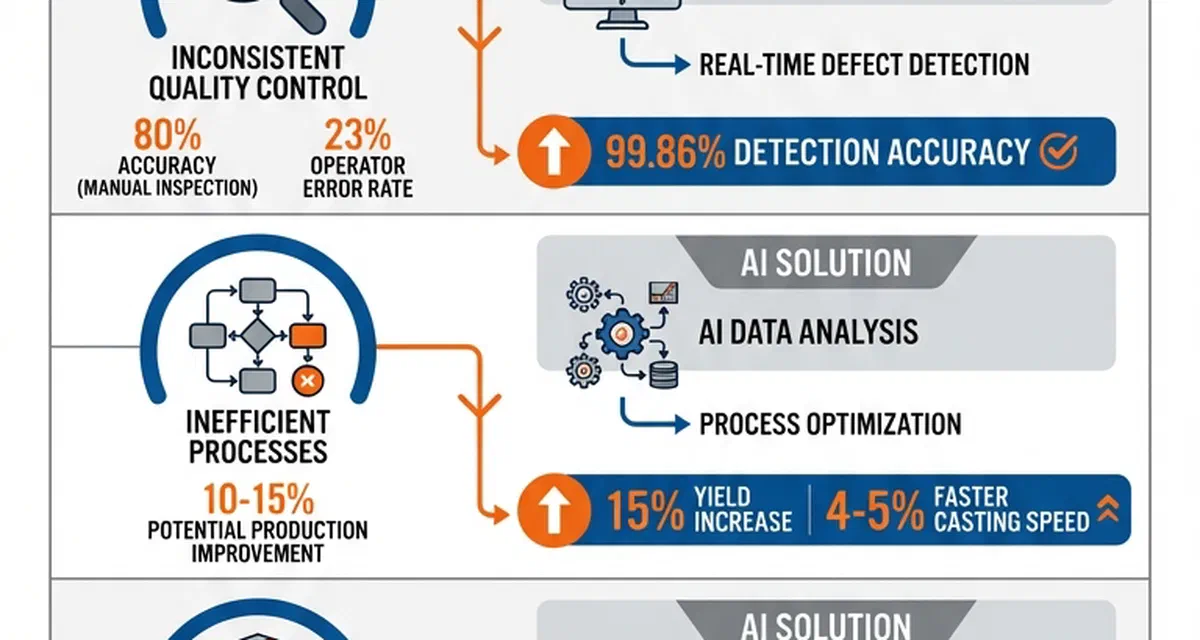
People will only embrace new systems if they clearly make their jobs easier. If a tool feels like extra work, it will be seen as a burden. Consider this: manual processes achieve 76% accuracy and take about 2.5 hours for order processing, while real-time systems boost accuracy to 98.7% and cut processing time to just 18 minutes [11].
The key is to lead with what’s in it for the person doing the scanning. Show them it means:
- No more hunting for “lost” stock
- No end-of-shift manual counts
- Fewer discrepancies to explain to the boss
Start small with a pilot programme in one product line or warehouse section, which allows you to iron out any issues before a full-scale rollout. Appoint respected team members as internal champions to help guide their colleagues through the transition.
Incentives should align with operational goals. If purchasing teams are rewarded for buying in bulk, they’ll keep doing it — even if it creates excess stock that ties up cash [9]. Tie scrap reduction and reorder accuracy to real numbers — hours saved, margin recovered, stock-outs avoided. People change behaviour when they can see the score [10]. Once workers see the system cuts their end-of-shift paperwork in half, they stop pushing back.
GoSmarter Tools for Real-Time Inventory Management
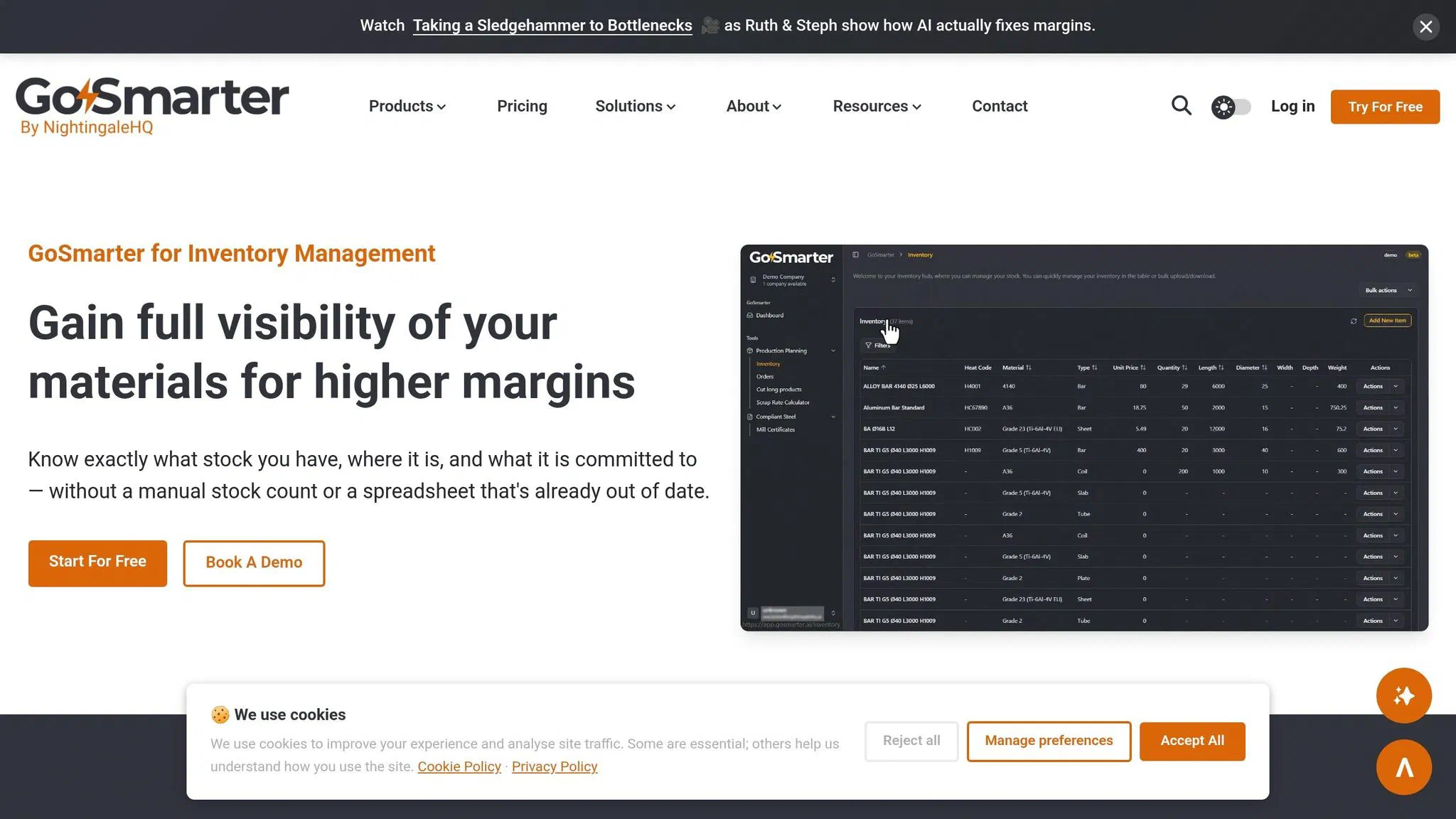
GoSmarter is a metals AI toolkit that sits on top of the systems you already have — your ERP, your spreadsheets, your email-based order intake — and adds the real-time visibility and optimisation those systems weren’t built to provide. No rip-and-replace. No lengthy IT project. Just the layer of intelligence your operation is missing.
From Manual Processes to AI Automation
GoSmarter replaces the clipboard, the PDF hunt, and the end-of-day spreadsheet scramble. All of it. Real-time mobile updates make it the production floor’s central source of truth — more current and more granular than anything your ERP holds. Most teams are up and running within a day.
What makes it different from a generic inventory platform is that it’s built around how metal actually moves. Bars, plate, coil, tube — multiple grades, multiple dimensions, mixed units of measure on the same order. The Cutting Plans AI knows what a remnant is, why kerf loss matters, and when a 2-metre offcut from last week’s job is the right answer for today’s rush pick. Planners stay in control of every recommendation — any AI suggestion can be overridden and replanned in seconds.
Take Midland Steel as an example. By adopting AI-driven planning, this top rebar supplier cut scrap rates by 50%. Tony Woods, CEO of Midland Steel, put it directly:
Smart technology choices can have a direct, measurable impact on reducing carbon emissions in steel manufacturing. The integration of AI and digital tracking has significantly improved our operational efficiency and sustainability performance. [6]
Another standout feature is the MillCert Reader, which saves over 120 hours annually. It automatically extracts critical details like grade, heat number, and mechanical properties from mill certificates and links them to stock items upon receipt.
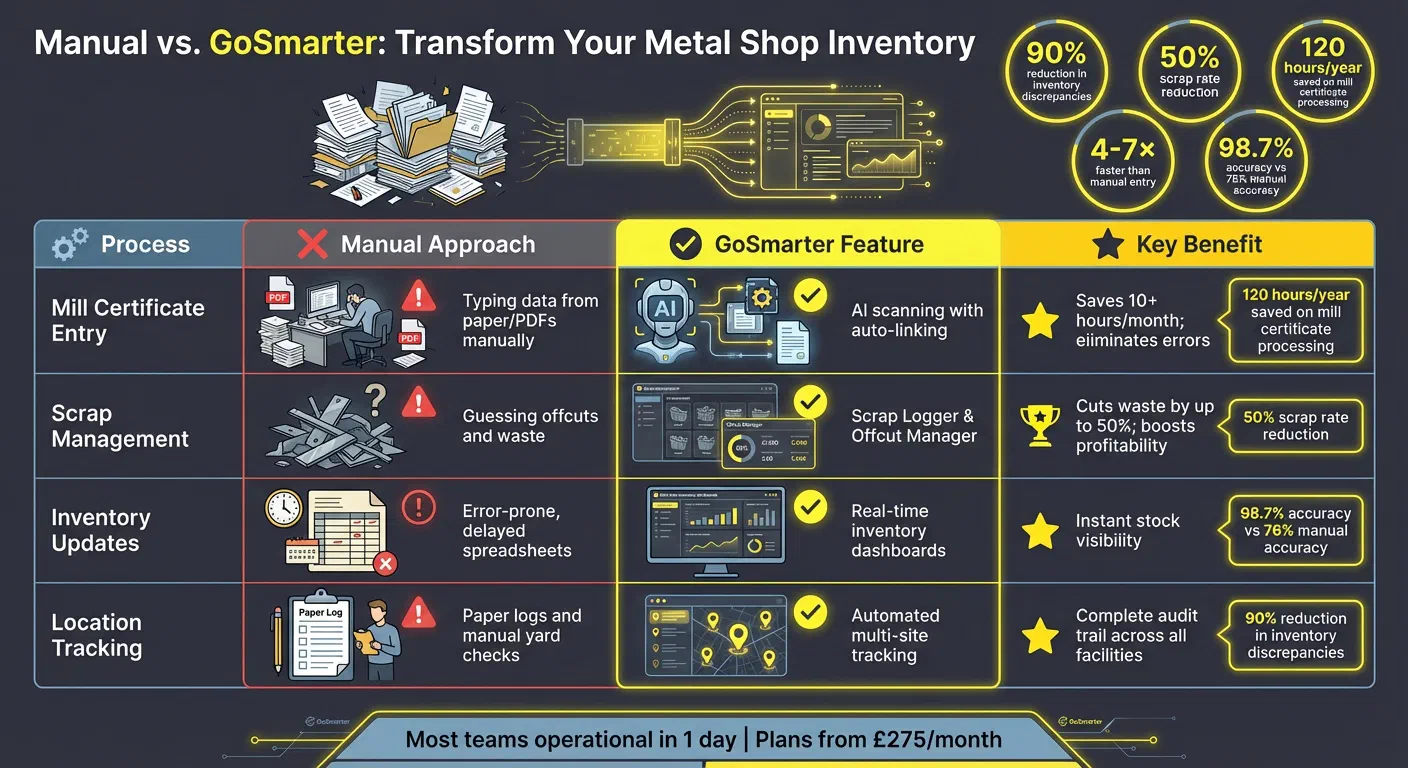
Manual vs. GoSmarter: A Quick Comparison
| Process | Manual Approach | GoSmarter Feature | Key Benefit |
|---|---|---|---|
| Mill Certificate Entry | Typing data from paper/PDFs manually | AI scanning with auto-linking | Saves 10+ hours/month; eliminates errors |
| Scrap Management | Guessing offcuts and waste | Scrap Logger & Offcut Manager | Cuts waste by up to 50%; boosts profitability |
| Inventory Updates | Error-prone, delayed spreadsheets | Real-time inventory dashboards | Instant stock visibility |
| Location Tracking | Paper logs and manual yard checks | Automated multi-site tracking | Complete audit trail across all facilities |
GoSmarter’s tools are built for quick deployment and come with flexible pricing tailored to your inventory needs. Plans start at £275/month (£3,300 billed annually) for mill certificate tracking, up to £1,000/month (£12,000/year) for fully AI-optimised cutting plans. Plus, free tools like the Scrap Rate Calculator let you explore your potential ROI before committing. When it comes to profitability, knowing your exact inventory is non-negotiable.
Ready to Stop Guessing What’s in Your Yard?
Modernising your inventory system isn’t just a nice-to-have - it’s a game-changer. As GoSmarter puts it, “If you don’t know what metal you have, you’re losing money” [1]. Real-time inventory systems take the guesswork out of the equation. Say goodbye to manual stock counts, endless record searches, and production delays caused by missed reorders. With instant visibility, you can cut down on excess stock costs and keep production running smoothly.
The numbers speak for themselves. Take Midland Steel: they slashed scrap rates by 50% by switching from manual cut planning to GoSmarter’s AI-generated cutting sequences. For a typical long-products processor, a 20–50% scrap reduction is achievable within the first quarter, depending on product mix and starting baseline [13]. That’s not just a margin improvement — it frees up tonnage that was previously written off and cuts reorder costs at the same time. Properly tracking offcuts and optimising material usage doesn’t just boost your margins - it also reduces carbon emissions, a critical consideration in an industry where every tonne matters.
GoSmarter turns inventory chaos into clarity. Whether you opt for the MillCert Reader at £275/month or dive into full AI-optimised cutting plans, the return on investment is both measurable and immediate [13]. Most teams are up and running within a day by importing existing stock via spreadsheets or connecting through an API to work alongside legacy ERPs [1][6]. Real-time analytics and mobile access mean you know what’s happening on your shop floor before it becomes a problem.
You already know the spreadsheets aren’t working. The only question is how many more mis-picks it takes before you fix it. Most teams are running GoSmarter within a day.
FAQs
What’s the quickest way to start real-time inventory from spreadsheets?
How do I keep heat codes and mill certificates linked to the right stock?
What should I track first to cut scrap and reuse offcuts?
Start with thoughtful material planning. Use a material yield planner to figure out how many parts you can cut from each sheet, factoring in kerf loss and part dimensions. This helps reduce waste while making the most of your materials.
Next, develop a detailed cutting plan. Focus on maximising sheet usage, cutting down on scrap, and ensuring any offcuts are suitable for reuse. Careful preparation like this not only improves efficiency but also keeps material waste to a minimum.